
OtherGlobal· Key
EaseUS Deploy Manager 3.0 (1 Year / 1 )
€7.16
+€0.72 cashback eligibility in Relic Coins
Check before you play
- Region
- Global
- Product type
- Key
- Genres
- Software
OtherGlobal· Key
€7.16
+€0.72 cashback eligibility in Relic Coins
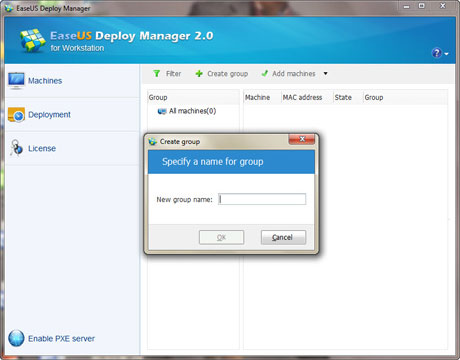
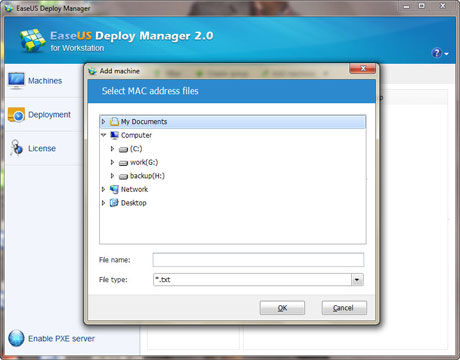
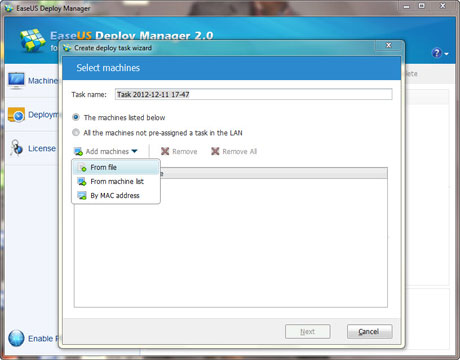
Simple System deployment EaseUS Deploy Manager helps you to deploy and configure Windows systems on your new PCs/servers as fast as you can provision one, simplifying IT administration routine and improving work efficiency. This efficient system deployment solution is ideal for rapid bare-metal deployments to a large number of PCs or servers, ensures that changes deployed into a target system environment are executed in a structure. No need to manually install Windows on every machine. How to Deploy System Add machines, create a Windows system image, and deploy to install the system on a scale. All is automated, nothing manual. Add MachinesImport a machine list file, or input the machine’s Media Access Control Address (MAC Address) to add machines for your IT infrastructure deployment. Both ways work well. Create System ImagesCreate an exact image of your system on a master machine, including machine-specific configurations, deploy the image, and install Windows systems to a mass of live machines in one easy step. Key Features Useful system deploying functions. Deploy by groupsGroup up client machines and manage the deployment in bulk. Cover Windows systemsDeploy to machines in Windows 11/10/8/7/Vista/XP and Server 2003/2008/2012/2016/2019. Deploy by dissimilar hardwareDeploy the same system image to dissimilar hardware, even to different live machines. Restore systemDeploy and get your system back on track in emergency cases. Control remotelyPower up or wake up computers at a remote location to deploy the system via a network. Enable PXE ServerConfigure your PXE Server, and boot up your machine via a network.
In order to activate the code please follow the instruction below: Download and install the software from https://www.easeus.com/download/edm-download.html Run the software and click on the key icon in the top right corner Type in your code