Get 10% back in Relic Coins on every order
RPG Maker VX Ace - Tyler Warren RTP Redesign 1 cover

SteamGlobal· Key

RPG Maker VX Ace - Tyler Warren RTP Redesign 1

€0.33

+€0.03 cashback eligibility in Relic Coins

Check before you play

Platform
Steam
Region
Global
Product type
Key
Developer
Tyler Warren
Publisher
Degica
Supplier release date
2015-05-01
Genres
Software

About this product

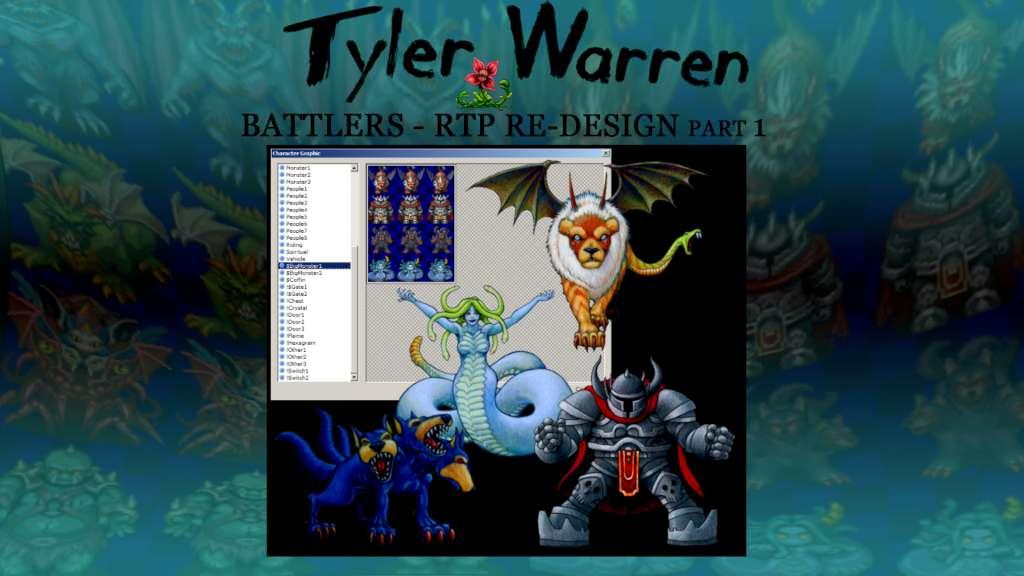
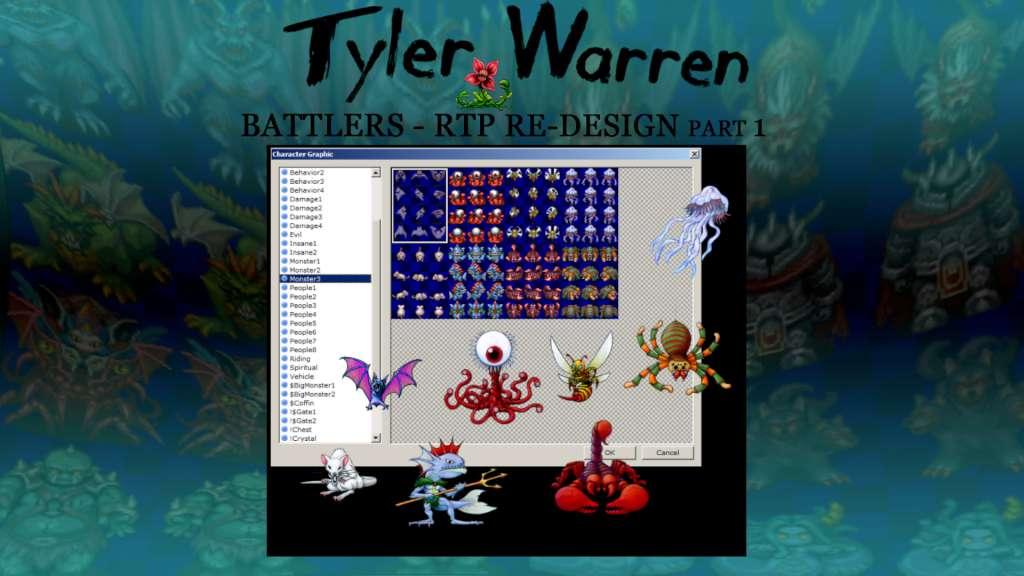
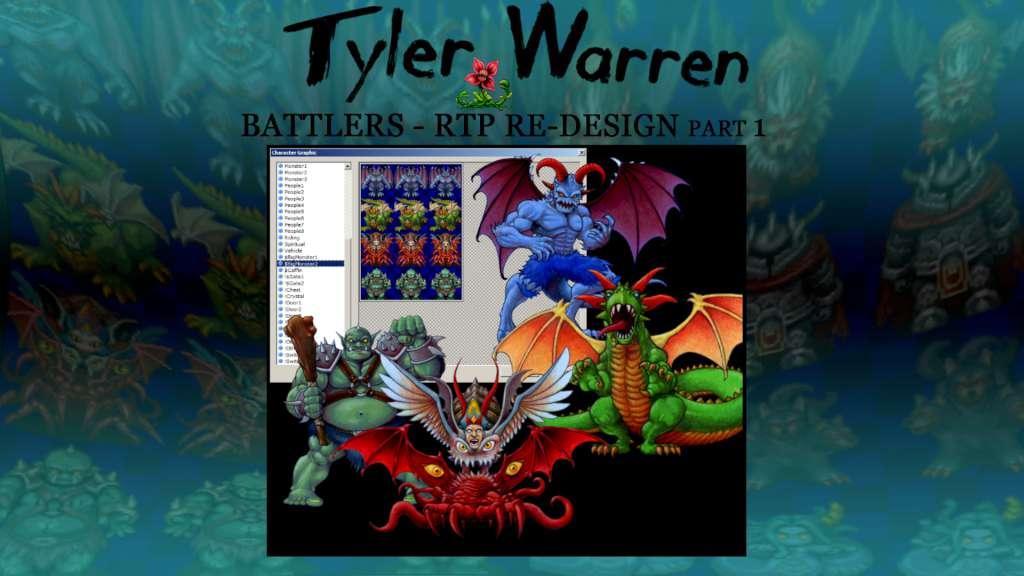
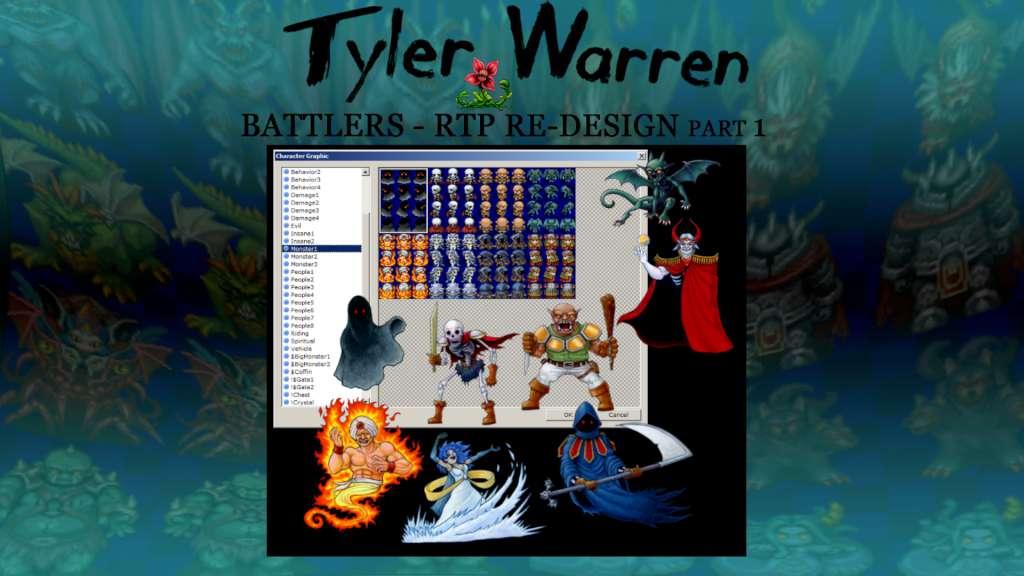
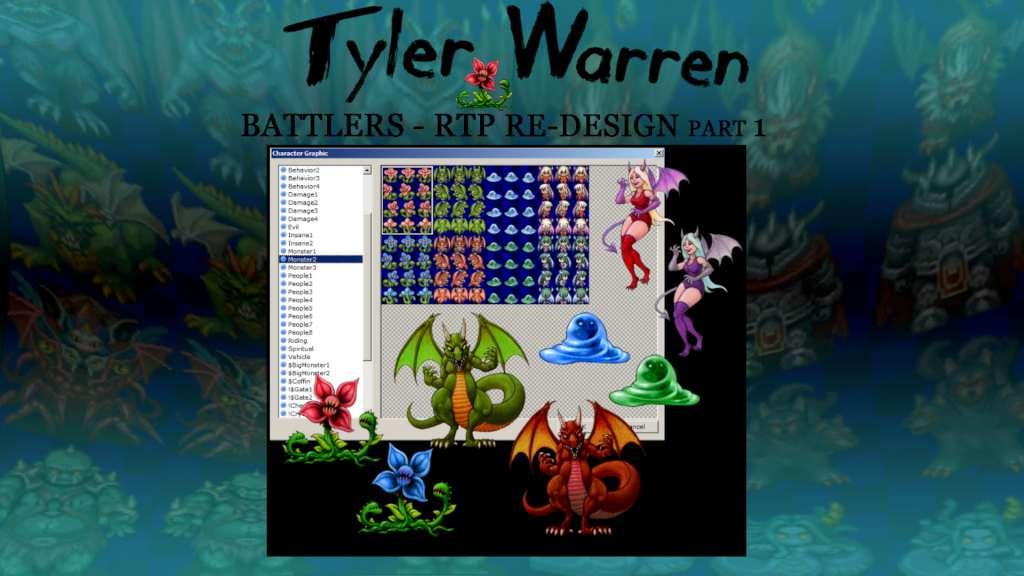
Tyler Warren is back with part 1 of his re-imagined default RPG Maker VX Ace batters. This pack features 50 battlers, including 17 Tyler Warren original characters and 33 RTP-matching battlers.Tyler’s delightful and unique style has been applied to the monsters from the default Run-Time Package (RTP), matching all 32 monsters from the Monster1-3, and Big Monster1-2 sprite sheets. Bring new life to classic RTP characters and combine with Tyler’s other packs for an ever expansive library in the same fun style, likened to Dragon Quest or a children’s book illustration.This pack contains: 50 unique battlers (33 from the VX Ace RTP and 17 all new) Files formatted for easy Plug and Play into RPG Maker VX Ace and other RPG Maker battle systems No need for editing; each battler is compatible with default battle backs or other backgrounds All 50 battlers are presented in sizes ranging from large to mini; let the slime be the boss with no scaling issues Battlers also come in recommended sizes (to scale), with a sampling of alternate color options Style similar in spirit to the classic whimsical RPG characters of Dragon Quest (Dragon Warrior) Part 1 of 2, which combined will completely re-create the 74 battlers of the RTP Use these with Tyler’s other 150 battlers for 200+ exciting characters for your next JRPG!


RPG Maker VX Ace - Tyler Warren RTP Redesign 1 screenshotRPG Maker VX Ace - Tyler Warren RTP Redesign 1 screenshotRPG Maker VX Ace - Tyler Warren RTP Redesign 1 screenshotRPG Maker VX Ace - Tyler Warren RTP Redesign 1 screenshotRPG Maker VX Ace - Tyler Warren RTP Redesign 1 screenshot

How to redeem

  1. 1Check your Steam account and the listed region before purchasing.
  2. 2Find your code and supplier activation instructions in your confirmed order.
  3. 3Open the redeem-code section on Steam, enter the code and follow the platform’s prompts.

Supplier instructions

Go to: http://store.steampowered.com/ and download STEAM client Click "Install Steam" (from the upper right corner) Install and start application, login with your Account name and Password (create one if you don't have). Please follow these instructions to activate a new retail purchase on Steam: Launch Steam and log into your Steam account. Click the Games Menu. Choose Activate a Product on Steam... Follow the onscreen instructions to complete the process. After successful code verification go to the "MY GAMES" tab and start downloading.

You might also like