Get 10% back in Relic Coins on every order
REMATCH - Elite Edition Upgrade Pack DLC (without DE) cover

PlayStation 5Europe· DLC

REMATCH - Elite Edition Upgrade Pack DLC (without DE)

€16.59

+€1.66 cashback eligibility in Relic Coins

Check before you play

Platform
PlayStation 5
Region
Europe
Product type
DLC

Check the required base game and edition before purchasing this add-on.

Developer
Sloclap
Publisher
Sloclap
Supplier release date
2025-06-19
Genres
Action, Indie

About this product

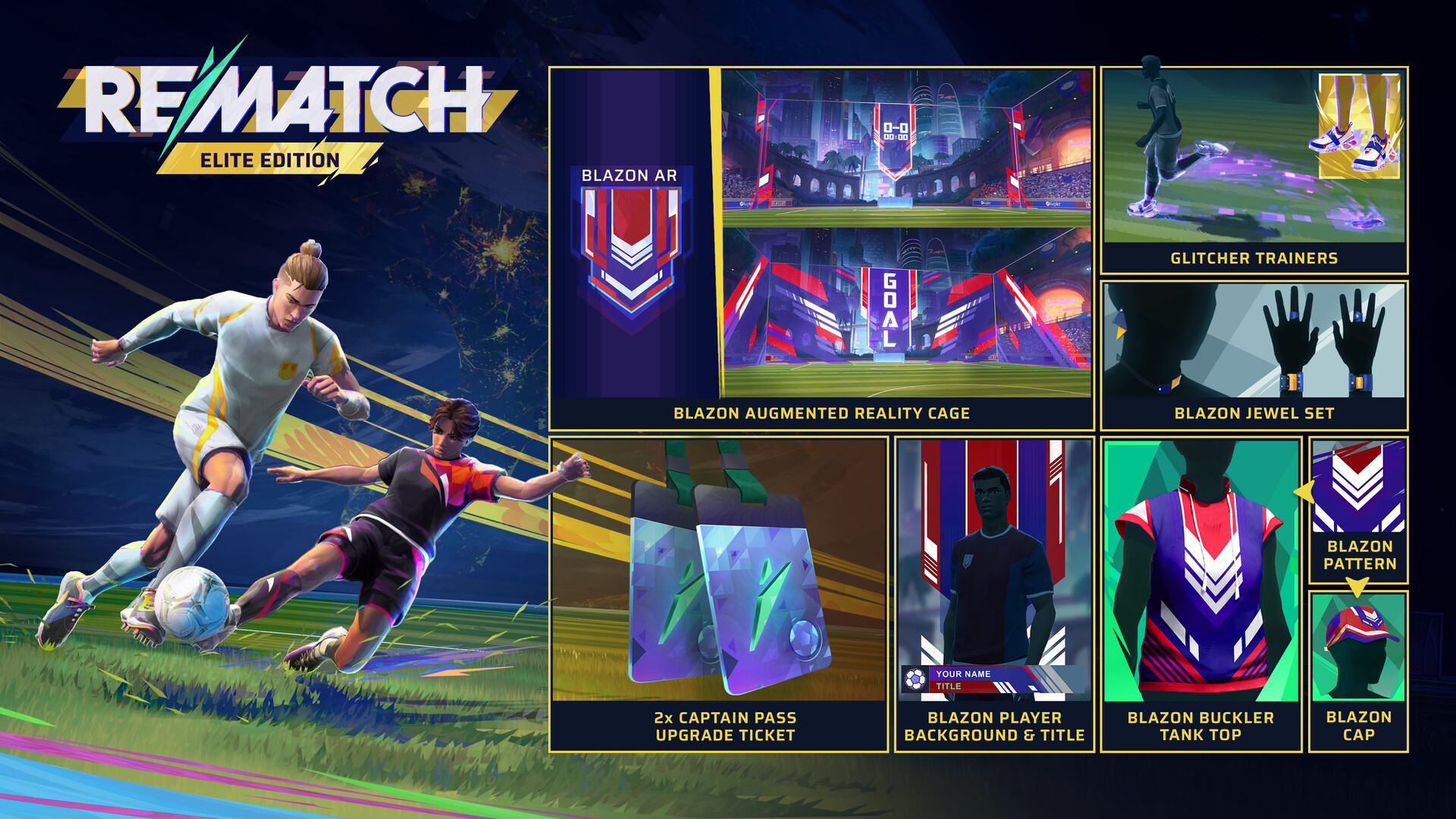
Rule the game with the Rematch Elite Edition Upgrade Pack, where excellence meets exclusivity. 2 x Captain Pass Upgrade Ticket – Double the rewards, double the swag. Glitcher Trainers – Step into the future with every stride. Who says errors can't be aesthetic? Blazon Augmented Reality Cage – Brings each match to life with a vibrant blazon display that celebrates every goal. Blazon Cap – It's more than just a cap—it's a declaration of status, identity, and conviction. Blazon Player Background & Title – Showcase your identity with an epic design that makes a statement as unique as you are. Blazon Buckler Tank Top – Classic tank top rebellion with blazon elegance, crafted for those who show their strength and shape their destiny with every match. Blazon Pattern (for Top & Bottom clothes) – Infuse your outfit with a seamless epic design that truly reflects your unique identity—perfect for those who want their style to tell their story. Blazon Jewel Set – Crafted from folded leather, each piece designed to shine on and off the field.


REMATCH - Elite Edition Upgrade Pack DLC (without DE) screenshot

How to redeem

  1. 1Check the required base game, platform and edition before purchasing.
  2. 2Find the code or supplier activation instructions in your confirmed order.
  3. 3Redeem on PlayStation 5 using the supplied instructions, then install the add-on with the compatible base game.

Supplier instructions

In order to redeem Playstation Network Code please follow instruction below: Go to http://www.SonyEntertainmentNetwork.com Click "Manage Account" and sign in with your Sign-In ID(E-mail Address) and Password. Click on "Redeem Prepaid Card". Enter the code printed on the voucher or PlayStation Network Card and click "Continue". If the code is valid, you will be presented with a description of what the code will deliver to your account. Press "Redeem..." button to add the item or funds to your account.

You might also like