
SteamGlobal· Key
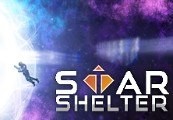
Star Shelter
€2.78
+€0.28 cashback eligibility in Relic Coins
Check before you play
- Platform
- Steam
- Region
- Global
- Product type
- Key
- Supplier release date
- 2017-10-12
- Genres
- Action, Adventure, RPG, Indie, VR Games
SteamGlobal· Key
€2.78
+€0.28 cashback eligibility in Relic Coins
Star shelter is one of the first VR games with classic survival mechanics. You're stranded in a mysterious graveyard of abandoned ships, the only way out is to repair a broken spaceship. You have to scavenge for materials and plants to repair and arm your spaceship.Keep your oxygen, power, and hunger in the green. Grow plants, build solar panels and other objects to generate what you need. Climb around the zero gravity but don't rely on your thrusters to much, they are fueled by the same oxygen you breathe. Scavenge the wreckages of spaceships and be wary of hazards. Features Randomly generated environments and spaceships. Use the crafting to arm and improve your spaceship. Grow plants in your spaceship to generate oxygen and fruit. Voiced AI to guide you and keep you aware of hazards. Destructible/Repairable base, maintaining your spaceship is as important as eating. Innovative UI, interactive holograms to navigate menus/hack, "AR" labels on objects. Shoot down drones and turrets that stand in your way. Classic survival mechanics - Hunger, oxygen, power, sleep.


Go to: http://store.steampowered.com/ and download STEAM client Click "Install Steam" (from the upper right corner) Install and start application, login with your Account name and Password (create one if you don't have). Please follow these instructions to activate a new retail purchase on Steam: Launch Steam and log into your Steam account. Click the Games Menu. Choose Activate a Product on Steam... Follow the onscreen instructions to complete the process. After successful code verification go to the "MY GAMES" tab and start downloading.