Get 10% back in Relic Coins on every order
Assault Android Cactus cover

SteamGlobal· Gift

Assault Android Cactus

€15.69

+€1.57 cashback eligibility in Relic Coins

Check before you play

Platform
Steam
Region
Global
Product type
Gift
Developer
Witch Beam
Publisher
Witch Beam
Supplier release date
2013-08-28
Genres
Action, Indie

About this product

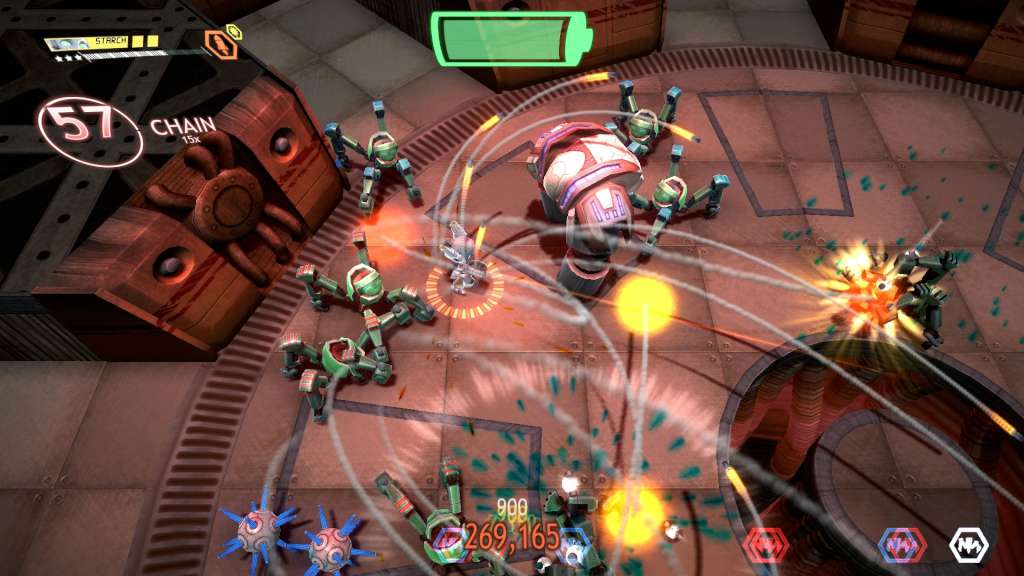
Assault Android Cactus is a manic twin stick shooter for one to four players combining arcade style action with hordes of enemies and transforming stages. Junior Constable Cactus is outside her pay grade when she responds to a distress call only to be left stranded on a crippled space freighter under attack by its own robot workers. But using her wits, unlimited ammunition and the fellow androids she is able to conscript along the way, she will save the ship or run down her battery trying! Features Multiple Playable Characters - Each android has a unique weapon set and play style, experiment to find which android suits you best. Dynamic Levels - From lights out to shifting walls to giant flamethrowers, there are surprises on board the Genki Star that will keep you on your toes. Overwhelming Odds - Push back against hordes of robots with quick reactions and clever weapon tactics. Giant Robot Bosses - Challenge the guardian of each deck as they unleash bullet hell and stage covering special attacks. Local Co-Op Play - Join in with two, three or four players and experience escalating chaos. Supports Keyboard/Mouse and Gamepad configurations.

Assault Android Cactus screenshotAssault Android Cactus screenshotAssault Android Cactus screenshotAssault Android Cactus screenshotAssault Android Cactus screenshotAssault Android Cactus screenshot

How to redeem

  1. 1Check that your Steam account can receive gifts in the listed region.
  2. 2Open the confirmed order and follow the supplier’s gift-delivery instructions.
  3. 3Accept the gift on the required platform account and add it to your library.

Supplier instructions

"Please remember that we are NOT responsible for any problems that may arise from purchasing and using Steam Gifts. You are doing it at your own risk. "Please note, that due to recent Valve Steam Gift policy update Steam Gifts for games that are covered by VAC ban program can no longer be added to Inventory. Make sure that you are logged in to the proper account before entering the link as Steam Gifts can be only added to your library or rejected. How do I use a Steam gift given to me? If you do not already have Steam, download and install Steam here. Once you have Steam installed, you will be prompted to create an account or login to an existing Steam account. If you do not have an account, please create one. You will receive an e-mail containing a link that will open Steam allowing you to redeem your gift. After clicking the link, you will receive a notification at the top right corner in the Steam client informing that you have a new gift.

You might also like