Get 10% back in Relic Coins on every order
OMSI 2 Add-on Citybus O305G DLC cover

SteamGlobal· DLC

OMSI 2 Add-on Citybus O305G DLC

€9.32

+€0.93 cashback eligibility in Relic Coins

Check before you play

Platform
Steam
Region
Global
Product type
DLC

Check the required base game and edition before purchasing this add-on.

Developer
MR-Software GbR
Publisher
Aerosoft GmbH
Supplier release date
2015-11-12
Genres
Simulation

About this product

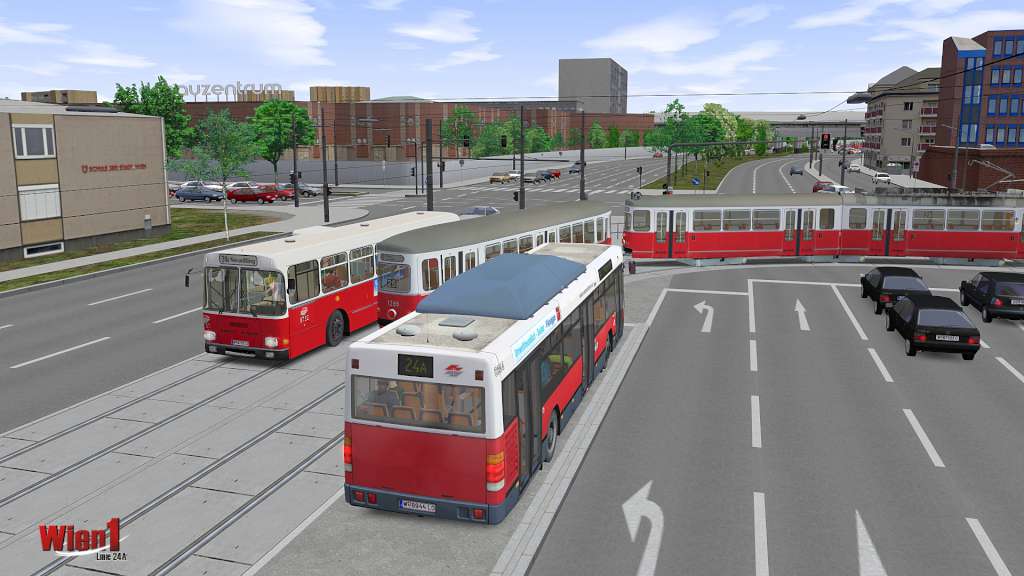
The „Citybus O305G“ allows you to take a journey through time. The „Citybus O305G “ as a pure vehicle add-on aims to build a virtual monument for the articulated pusher busses of the first generation and sends you right back in the early 1980s. The add-on “Citybus 0305G” contains two variants of the articulated pusher bus for OMSI 2. The eye catchers are the different fronts of the busses. One related to the “VÖV-Front” and the other to the “StüLB-Front”. Both models come in different colour- and interior variants. Another highlight is the authentic pollution model and the start behavior that is affected by weather and battery conditions. The busses have a manually changeable rolling band display and can be used on the OMSI 2 standard maps “Berlin-Spandau” and “Grundorf”. Hint: We recommend using this articulated pusher bus in combination with the OMSI add-on „Citybus 0305“ since it also contains hof-files and suitable varnishes for those.

OMSI 2 Add-on Citybus O305G DLC screenshotOMSI 2 Add-on Citybus O305G DLC screenshotOMSI 2 Add-on Citybus O305G DLC screenshotOMSI 2 Add-on Citybus O305G DLC screenshotOMSI 2 Add-on Citybus O305G DLC screenshotOMSI 2 Add-on Citybus O305G DLC screenshot

How to redeem

  1. 1Check the required base game, platform and edition before purchasing.
  2. 2Find the code or supplier activation instructions in your confirmed order.
  3. 3Redeem on Steam using the supplied instructions, then install the add-on with the compatible base game.

Supplier instructions

Go to: http://store.steampowered.com/ and download STEAM client Click "Install Steam" (from the upper right corner) Install and start application, login with your Account name and Password (create one if you don't have). Please follow these instructions to activate a new retail purchase on Steam: Launch Steam and log into your Steam account. Click the Games Menu. Choose Activate a Product on Steam... Follow the onscreen instructions to complete the process. After successful code verification go to the "MY GAMES" tab and start downloading.

You might also like