

OtherGlobal· Key
NCH: VideoPad Video Editor
€13.44
+€1.34 cashback eligibility in Relic Coins
Check before you play
- Region
- Global
- Product type
- Key
- Genres
- Software
OtherGlobal· Key
€13.44
+€1.34 cashback eligibility in Relic Coins
Designed to be intuitive, VideoPad is a fully featured video editor for creating professional quality videos in minutes. Features Professional version includes all features, unlimited audio tracks and plugins Create videos for DVD, HD, 360, YouTube and moreBurn your completed movies to DVD or export your video to share online or to save to a portable device. Supports all popular video formats seamlesslyEdit video from a DV camcorder, VHS, GoPro, webcam, or all common video file formats including avi, wmv, divx, mp4, apng, mpeg and many more. Breathtaking transitions and visual effectsOver 50 visual and transition effects to add a professional touch to your movies. Intuitive, Fast EditingFastest video stream processor Visual Effects & TransitionsIncludes over 50 effects & transitions 60+ Supported Video FormatsSupports all popular video formats Export to File or DiscBurn, upload, save and share Pure Digital Audio ToolsEdit and apply effects to audio tracks 3D and 360 Video EditingEdit and export 3D and 360 video files Supported Input Formats VideoPad supports just about any video input device including DV based or HDV camcorders. Import Video - avi, mpeg, wmv, divX, Xvid, mp4, mov, vob, ogm, H.264, RM and more Import Images - bmp, gif, jpg, png, tif and more Import Audio - wav, mp3, m4a, mid, flac, aac, wma, au, aiff, ogg, raw, dvf, vox and more Supported Output Formats Works with Express Burn to burn Blu-ray discs fast Export Video File - avi, wmv, mpg, 3gp, mp4, mov, mkv, gif, YouTube, Mobile Phone, iPad, PSP Upload to YouTube - save your login credentials to upload videos directly to YouTube, Vimeo or Flickr from VideoPad
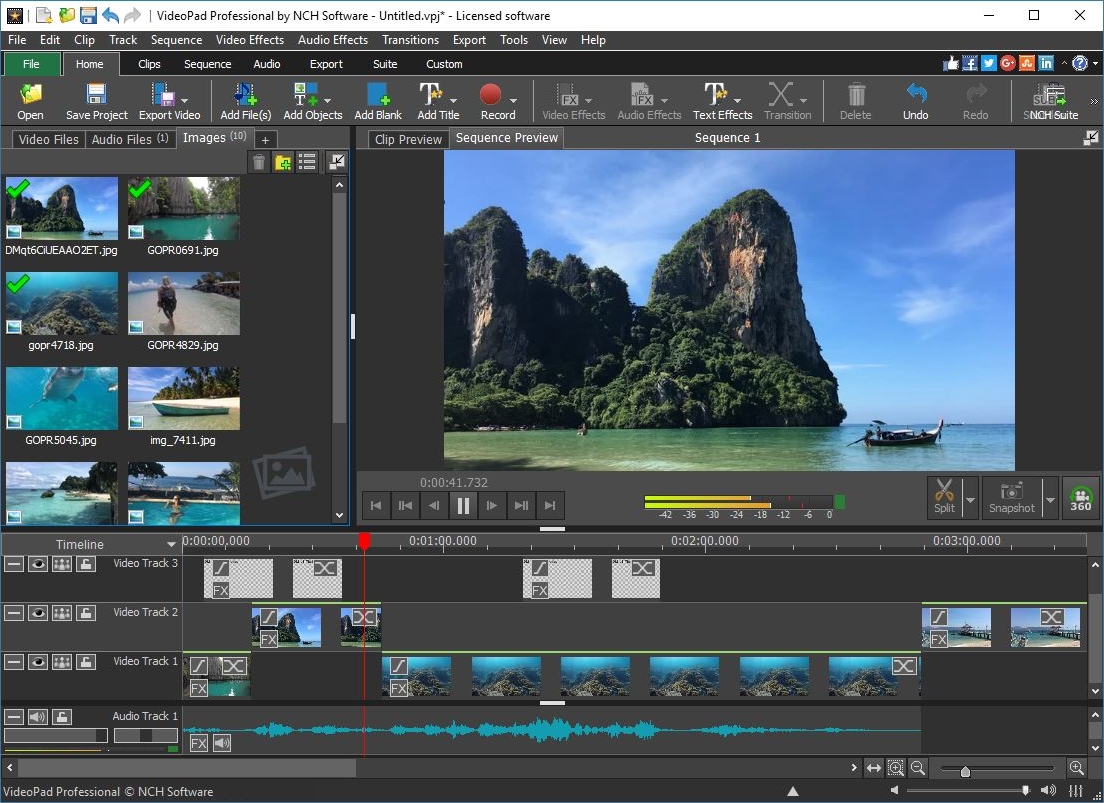
Download from https://www.nch.com.au/components/vpsetup.exe. Open the Register dialog from the File menu, File Tab, Hamburger menu or Product Name menu located toward the top left of the main window, then select Register Product to open the Registration dialog. Enter your Registration Code. We recommend using copy and paste to eliminate entry errors. The code is case-sensitive.