Get 10% back in Relic Coins on every order
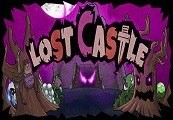
Lost Castle cover

Steam Europe - All Countries· Key

Lost Castle

€2.21

+€0.22 cashback eligibility in Relic Coins

Check before you play

Platform
Steam
Region
Europe - All Countries
Product type
Key
Developer
Hunter Studio
Publisher
Hunter Studio
Supplier release date
2016-02-04
Genres
Action, Adventure, RPG

About this product

Lost Castle is a action RPG beat'em up game with roguelike elements and randomized dungeon. Castle Harwood used to be a castle governed by nobles. Unfortunately, evils had come upon the land and ended the calm days. Peoples were tortured, enslaved, murdered by demons. Gradually, demons wanted a bit more and began to invade surrounding areas. For the humanity, honor and treasures, the braves from far and near come continuously enter Harwood to find the root of all evils... In the game, you play as a treasure hunter who is also plan to enter Harwood. You want to uphold justice with the sword in your hand, and, by the way, take some treasures. However, Harwood has been eroded by evil. Will everything be as you wish? Features Rogue-like and massive random contents. 50+ items and 30+ potions with various effects. 100+ weapons and 20+ armor. Various attack actions with different types of weapons. Randomly generated dungeons, items, enemies and bosses. Sacrifice system: Level up your hero and gain new abilities. Singleplayer campaign or co-op for two players.

Lost Castle screenshotLost Castle screenshotLost Castle screenshotLost Castle screenshotLost Castle screenshot

How to redeem

  1. 1Check your Steam account and the listed region before purchasing.
  2. 2Find your code and supplier activation instructions in your confirmed order.
  3. 3Open the redeem-code section on Steam, enter the code and follow the platform’s prompts.

Supplier instructions

Go to: http://store.steampowered.com/ and download STEAM client Click "Install Steam" (from the upper right corner) Install and start application, login with your Account name and Password (create one if you don't have). Please follow these instructions to activate a new retail purchase on Steam: Launch Steam and log into your Steam account. Click the Games Menu. Choose Activate a Product on Steam... Follow the onscreen instructions to complete the process. After successful code verification go to the "MY GAMES" tab and start downloading.

You might also like