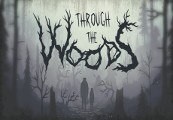
Through the Woods is a third-person Norse horror adventure set in a forest on the western shores of Norway that tells the story of a mother and her missing son. Through reactive narration, the player experiences the mother’s re-telling of the events surrounding her son’s disappearance. Players follow the path of a terrified woman who has forced herself to enter this terrible place for the sole purpose of finding her son, in a setting heavily influenced by Norse mythology and Norwegian folk tales. With Through the Woods, Antagonist have captured the feeling of the forest as they saw it as children, with all the fear and mystery that comes from roaming through it alone. This is coupled with a powerful story and high quality sound design, which in the darkness of the forest becomes a core mechanic. Through the Woods is a profound experience that directly delivers the feelings of loneliness and loss in a terrifying place... Features Explore stunning environments and experience stories inspired by Norse mythology, Norwegian art and nature Uncover dark tales of the past and present through reactive narration Creative use of light and darkness generates deceptive environments A frightening journey accompanied by beautiful and grim sound design