Get 10% back in Relic Coins on every order
Zoo Tycoon Ultimate Animal Collection / Windows 10 cover

Xbox OneUnited States· Key

Zoo Tycoon Ultimate Animal Collection / Windows 10

€17.42

+€1.74 cashback eligibility in Relic Coins

Check before you play

Platform
Xbox One
Region
United States
Product type
Key
Developer
Blue Fang Games
Publisher
Microsoft
Supplier release date
2017-10-31
Genres
Simulation

About this product

Create the zoo of your dreams with Zoo Tycoon! The wildly popular Zoo Tycoon series gets fully-remastered and set to crank up the excitement, challenge, and fun of building the ultimate zoo. Let your imagination run wild with Zoo Tycoon: Ultimate Animal Collection. Choose from almost 200 visually stunning animals and the largest, most detailed selection of environments ever, then build, manage, and maintain your dream zoo alone or with up to four players on Xbox Live. This zoo simulation will charm animal lovers of all ages. Easy to start and easy to play, Zoo Tycoon on Xbox gets you up close and interacting with the animals and zoo, offering intuitive controls and fun tutorials that allow players of all ages to have fun. Play smart as animals and guests will react to your creative choices and ultimately decide your chances to become a Zoo Tycoon.


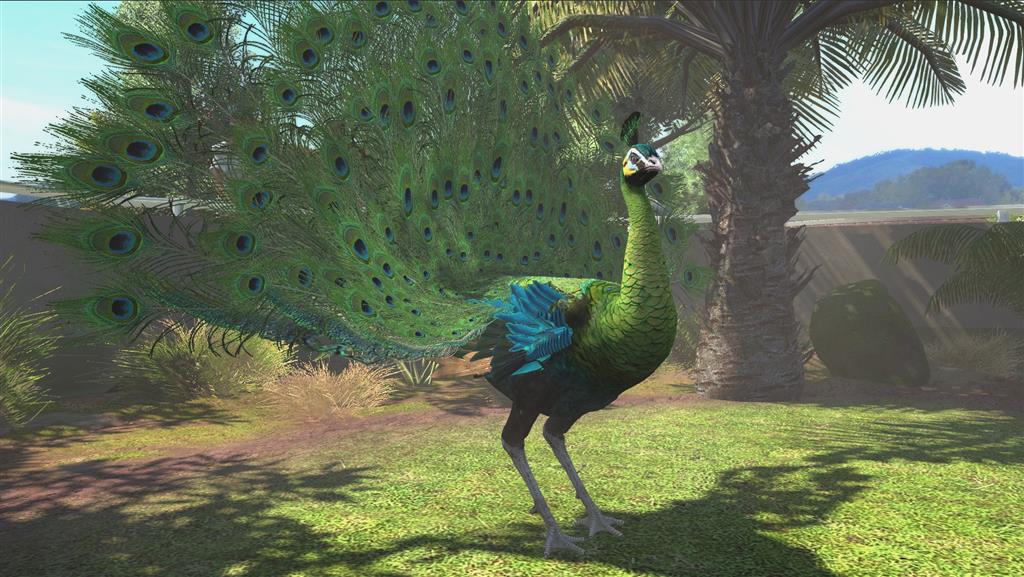
Zoo Tycoon Ultimate Animal Collection / Windows 10 screenshotZoo Tycoon Ultimate Animal Collection / Windows 10 screenshotZoo Tycoon Ultimate Animal Collection / Windows 10 screenshotZoo Tycoon Ultimate Animal Collection / Windows 10 screenshotZoo Tycoon Ultimate Animal Collection / Windows 10 screenshotZoo Tycoon Ultimate Animal Collection / Windows 10 screenshot

How to redeem

  1. 1Check your Xbox One account and the listed region before purchasing.
  2. 2Find your code and supplier activation instructions in your confirmed order.
  3. 3Open the redeem-code section on Xbox One, enter the code and follow the platform’s prompts.

Supplier instructions

Go to https://www.xbox.com Login to your account Hover over your account link (the top right of the screen) a menu will appear, click on the "Redeem Code" button. On the next page, click "Redeem" Enter your code Click "Confirm" Click "Confirm" again to assign the key to your account.

You might also like