Get 10% back in Relic Coins on every order
Russian Subway Dogs cover

SteamGlobal· Key

Russian Subway Dogs

€0.84

+€0.08 cashback eligibility in Relic Coins

Check before you play

Platform
Steam
Region
Global
Product type
Key
Developer
Spooky Squid Games Inc.
Publisher
Spooky Squid Games Inc.
Supplier release date
2018-08-02
Genres
Indie, Platformer

About this product

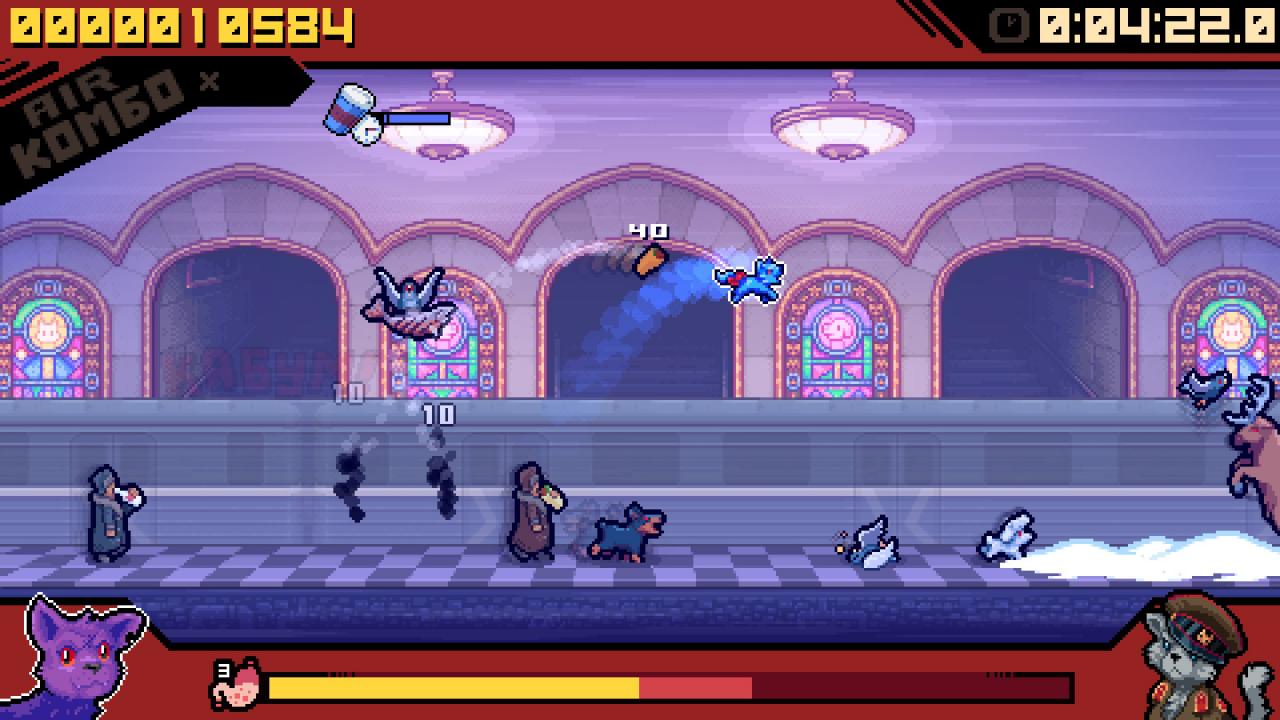
Welcome, comrades! Meet Russian Subway Dogs! We have done extensive, totally legal research in order to fine tune this chaotic arcade-simulation for what it's like to scavenge for food from Russian commuters. Surviving isn't easy when you are dodging volatile vodka, rival dogs, and the rare and dangerous Subway Bear! Features A new game from the creators of They Bleed Pixels. Inspired by real life stray dogs who’ve learned to navigate Moscow’s subway system! Take on Campaign Mode with dozens of levels and over 100 unique challenges from your boss kitty: The Proletaricat. Highly replayable Endless Mode with online leaderboards and a score-driven difficulty algorithm that keeps each round fresh! Featuring detailed pixel art of Moscow’s world famous, ornately decorated subway stations. Play as your favourite animals from other indie games and comics (full list below!) From fire and ice to toxic chocolate and cooking wildlife for food, Russian Subway Dogs is full of simulated systems to discover and exploit! Original Soundtrack by Peter Chapman aka COINS (Guacamelee!, LittleBigPlanet Karting, Modnation Racers)

Russian Subway Dogs screenshotRussian Subway Dogs screenshotRussian Subway Dogs screenshotRussian Subway Dogs screenshotRussian Subway Dogs screenshotRussian Subway Dogs screenshot

How to redeem

  1. 1Check your Steam account and the listed region before purchasing.
  2. 2Find your code and supplier activation instructions in your confirmed order.
  3. 3Open the redeem-code section on Steam, enter the code and follow the platform’s prompts.

Supplier instructions

Go to: http://store.steampowered.com/ and download STEAM client Click "Install Steam" (from the upper right corner) Install and start application, login with your Account name and Password (create one if you don't have). Please follow these instructions to activate a new retail purchase on Steam: Launch Steam and log into your Steam account. Click the Games Menu. Choose Activate a Product on Steam... Follow the onscreen instructions to complete the process. After successful code verification go to the "MY GAMES" tab and start downloading.

You might also like