
SteamGlobal· Key
TANGLEWOOD
€0.85
+€0.09 cashback eligibility in Relic Coins
Check before you play
- Platform
- Steam
- Region
- Global
- Product type
- Key
- Publisher
- Microdeal
- Supplier release date
- 2018-08-14
- Genres
- Action, Adventure, Indie
SteamGlobal· Key
€0.85
+€0.09 cashback eligibility in Relic Coins
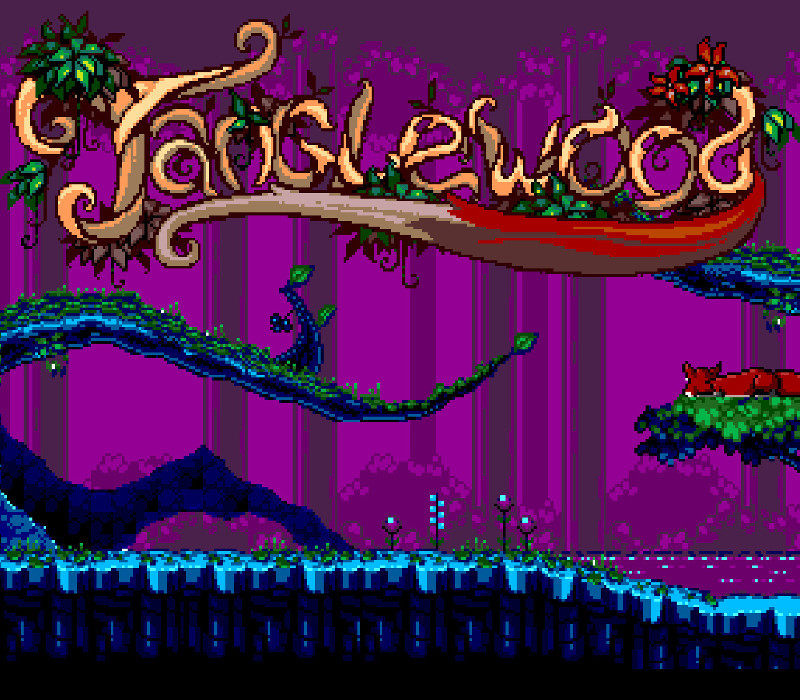
TANGLEWOOD® is a brand new and original puzzle-platforming game originally released for the SEGA Mega Drive and Genesis, coming soon to Windows, Mac, Linux, Everdrive, and your favourite Mega Drive emulators. A true 16-bit, challenging platforming experience that will make fans of the golden gaming era feel warm and fuzzy. Set in a fictional world, the game follows a young creature, Nymn, who is separated from home after the twin suns set. Unable to get back to safety, Nymn must find a way to survive the night terrors and make it to morning. TANGLEWOOD’s world is a dangerous one after dark, and Nymn must use skills of evasion, special abilities, traps and trickery to defeat predators. TANGLEWOOD® is programmed in pure 68000 assembly language, using original development tools and processes from the 1990s. Features A real 16-bit game, created for and playable on genuine SEGA consoles Mixes fast-paced 2D platforming action with puzzles, special abilities, tricks and traps 28 challenging levels spanning 8 story chapters Lovingly crafted characters and fluid animations Original soundtrack by freezedream, authored specially for the Mega Drive's sound processors Time of day cycle, influencing the types of enemies encountered Collectables, achievements and secrets


Go to: http://store.steampowered.com/ and download STEAM client Click "Install Steam" (from the upper right corner) Install and start application, login with your Account name and Password (create one if you don't have). Please follow these instructions to activate a new retail purchase on Steam: Launch Steam and log into your Steam account. Click the Games Menu. Choose Activate a Product on Steam... Follow the onscreen instructions to complete the process. After successful code verification go to the "MY GAMES" tab and start downloading.