
SteamGlobal· Key
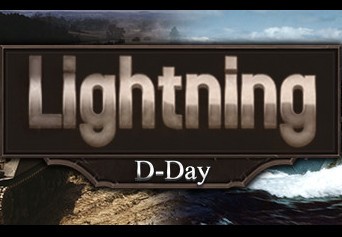
Lightning: D-Day
€1.17
+€0.12 cashback eligibility in Relic Coins
Check before you play
- Platform
- Steam
- Region
- Global
- Product type
- Key
- Developer
- HexWar Games
- Publisher
- HexWar Games
- Supplier release date
- 2017-07-14
- Genres
- Strategy
SteamGlobal· Key
€1.17
+€0.12 cashback eligibility in Relic Coins
This 1 on 1 card game recreates the drama of the day Allied soldiers went ashore in occupied France, 6 June 1944. Each of the historic landing beaches - Sword, Juno, Gold, Omaha and Utah - is represented by its own card, as are the defending German divisions and attacking Allied units. The Allies must marshal their resources to gain and secure control of as many beaches as they can by day's end: a run-through of the 110-card deck.However, the Axis has the starting advantage; the Allies need to avoid being caught dead in the water. Although most units are preassigned to a beach, each game is won or lost by the placement of cards that provide additional forces or support. Not only is the state of each beach important to consider for these decisions, but also the geography of the coastline - after a beach has been won, the victorious forces can flank adjacent beaches. Both players must always be thinking ahead, looking for ways to best utilise their cards down the line. Features Play as the Axis or Allies. Cross-platform online play. Play solo vs AI. 2 player hot seat multiplayer. A faithful conversion of the original card game.
Go to: http://store.steampowered.com/ and download STEAM client Click "Install Steam" (from the upper right corner) Install and start application, login with your Account name and Password (create one if you don't have). Please follow these instructions to activate a new retail purchase on Steam: Launch Steam and log into your Steam account. Click the Games Menu. Choose Activate a Product on Steam... Follow the onscreen instructions to complete the process. After successful code verification go to the "MY GAMES" tab and start downloading.