

OtherGlobal· Key
RBSoft: Right Click Enhancer Professional (2 PCs)
€2.35
+€0.24 cashback eligibility in Relic Coins
Check before you play
- Region
- Global
- Product type
- Key
- Genres
- Software
OtherGlobal· Key
€2.35
+€0.24 cashback eligibility in Relic Coins
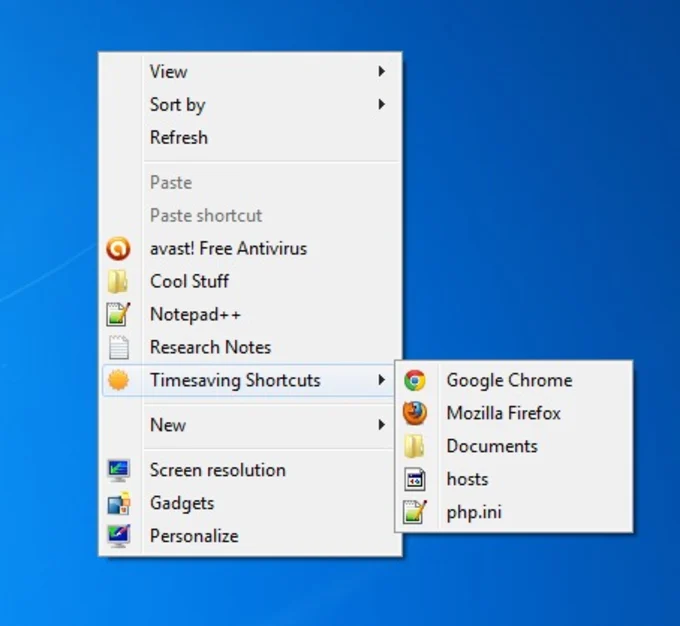
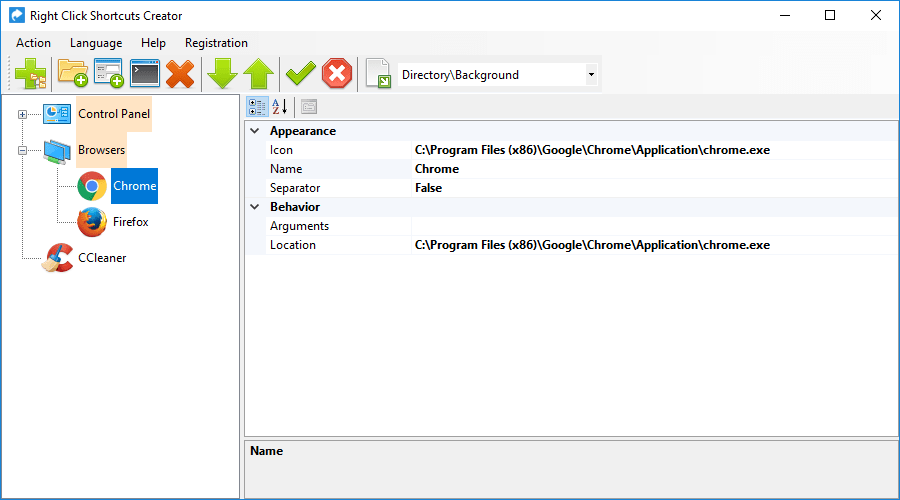
Right Click Enhancer Control Panel for right click menu on Windows. Features Add Useful Shortcuts It lets you add applications, files and folder shortcuts to right click menu leading to cleaner and more organized desktop. You can also create submenus inside right click menu so your right click menu will never look messy. Edit Right Click Menu When you install new application on your PC some of them adds new options in your right click menu. While these entries provide quick way to use the application, not all users find it useful. Right Click Editor tool of this application allows you to remove or disable these types of unwanted right click menu options. Copy Files Faster You can add new files and folder shortcuts to send to menu using Right Click Enhancer, that will help you copy stuffs to folders faster. Just right click on the file and use send to menu to copy it to that location. You can also use Copy to folder and Move to folder to copy or move items quickly. Edit new menu You can add new file types or remove old ones from new menu using Right Click Enhancer. You can even add file types with default content so next time when you create that type of file using new menu, you will get file with that content already present. Add useful options You can add some useful options to right click menu like famous God Mode option that brings all the configuration options of Windows in one place. There are plenty of options like this that can help you create files and folders list of directory, take ownership of multiple files and folders easily and many others productivity tweaks.

Download and install the software from here: https://rbsoft.org/downloads/right-click-enhancer/Right-Click-Enhancer-Professional-Setup.exe Activate the received key directly in the software.