

SteamGlobal· Key
Start10
€2.91
+€0.29 cashback eligibility in Relic Coins
Check before you play
- Platform
- Steam
- Region
- Global
- Product type
- Key
- Developer
- Stardock
- Publisher
- Stardock
- Supplier release date
- 2017-05-11
- Genres
- Software
SteamGlobal· Key
€2.91
+€0.29 cashback eligibility in Relic Coins
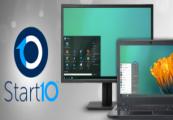
Customize your Start menu for easy access to Universal and Classic apps, options for Fences integration, filtered searches, and more with the number one Windows Start menu alternative, Start10. With Start10, you can return to the classic Windows 7 style or activate a Modern design and use onboard configuration tools to make it even better. Change out colors, apply textures, hide or customize your Start menu button, and more.Start10 has many additional customizations all packaged in an easy-to-use UI. You can enable taskbar transparency and shift the level of blur applied to your desktop background. If you want to clean up your secondary displays, set your Start button to “hide”.Setting up search filter options allows you to find what you need quickly in a Start menu Windows or web search. Start10 has its own Search box, plus offers easy one-click access to Universal applications and added shortcuts within the Start menu itself.If you're a Fences user, Start10 is already fully integrated with the application! You can organize your favorite programs and most-used applications right in your Start menu in an easy-to-find grid without having to minimize or move open windows out of the way. Start10 blends the best of what you are looking for when launching your favorite applications in a customized Start menu that ultimately reflects your style. Features Replaces the Windows 10 tile menu with a menu you are used to Restores the quick links to core system functionality Filter searches in the Start menu Replaces the start button and allows you to use your own Integrates Stardock's "Fences" into the menu Maintains the "All Programs" folder metaphor Apply texture to the Start10 background and taskbar Technical Features Add custom shortcuts to the right panel Re-arrange the right panel to fit user needs Configure individually how the start button and Windows key act when selected Adjust menu size


Go to: http://store.steampowered.com/ and download STEAM client Click "Install Steam" (from the upper right corner) Install and start application, login with your Account name and Password (create one if you don't have). Please follow these instructions to activate a new retail purchase on Steam: Launch Steam and log into your Steam account. Click the Games Menu. Choose Activate a Product on Steam... Follow the onscreen instructions to complete the process. After successful code verification go to the "MY GAMES" tab and start downloading.