Get 10% back in Relic Coins on every order
Transformers: War for Cybertron cover

SteamGlobal· Key

Transformers: War for Cybertron

€10,453.33

+€1,045.33 cashback eligibility in Relic Coins

Check before you play

Platform
Steam
Region
Global
Product type
Key
Developer
Winkysoft
Publisher
Atlus
Supplier release date
2010-06-22
Genres
Action

About this product

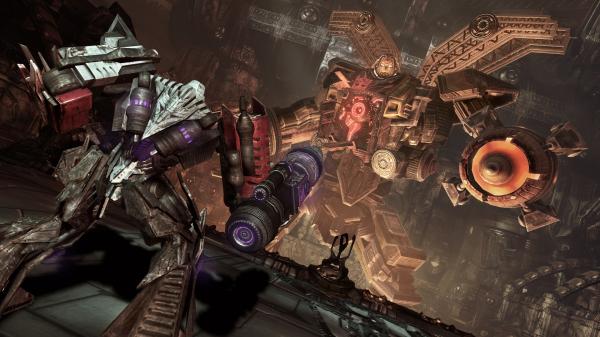
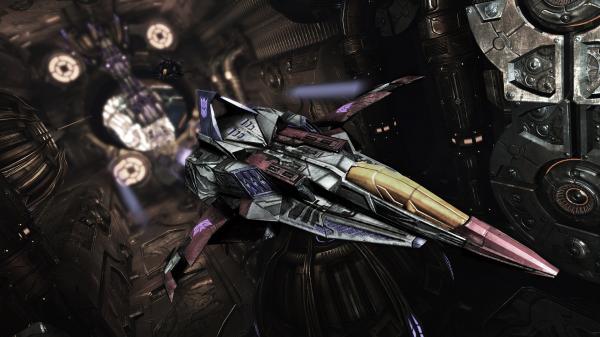
Become the ultimate weapon. Fight to the end in the war that started it all. Wield an arsenal of lethal, high-tech weaponry and change form from robot to vehicle at any time as you battle through the living, metallic world of Cybertron. Separate Autobot and Decepticon campaigns take you from Autobot and Decepticon cities, to the Energon core of Cybertron, to the outer reaches of the orbital debris while pitting brother against brother and friend against foe. Experience Optimus’ rise to greatness and Megatron’s thirst for destruction. The balance of power between Autobots and Decepticons is in your hands. Features TWO DISTINCT CAMPAIGNS,

One epic story

Play both the Autobots™ and Decepticons™ campaigns Battle as your favorite Transformers character in this 3rd Person High Action Shooter

Wage war online

Deep multiplayer game modes thrust you into a global battle Team up with your friends and battle waves of enemies in Escalation Mode

Create your own tranformers character

Choose your character class, vehicle, weapons, attributes, skills, and upgrades Level up and customize your character to fit your playing style 3-PLAYER DROP-IN/

Drop-out online co-op

Team up with your friends and fight through epic campaigns

Change form from robot to vehicle at any time

Instantly convert from robot to car, jet, tank or truck mode and attack your enemies from any angle

Transformers: War for Cybertron screenshotTransformers: War for Cybertron screenshotTransformers: War for Cybertron screenshotTransformers: War for Cybertron screenshotTransformers: War for Cybertron screenshotTransformers: War for Cybertron screenshot

How to redeem

  1. 1Check your Steam account and the listed region before purchasing.
  2. 2Find your code and supplier activation instructions in your confirmed order.
  3. 3Open the redeem-code section on Steam, enter the code and follow the platform’s prompts.

Supplier instructions

Go to: http://store.steampowered.com/ and download STEAM client Click "Install Steam" (from the upper right corner) Install and start application, login with your Account name and Password (create one if you don't have). Please follow these instructions to activate a new retail purchase on Steam: Launch Steam and log into your Steam account. Click the Games Menu. Choose Activate a Product on Steam... Follow the onscreen instructions to complete the process. After successful code verification go to the "MY GAMES" tab and start downloading.

You might also like