Get 10% back in Relic Coins on every order
The Journey Down: Chapter Three cover

Steam Europe - All Countries· Key

The Journey Down: Chapter Three

€0.85

+€0.09 cashback eligibility in Relic Coins

Check before you play

Platform
Steam
Region
Europe - All Countries
Product type
Key
Developer
Maxis
Publisher
Electronic Arts
Supplier release date
2017-09-21
Genres
Adventure, Indie, Point & click

About this product

In the jungles of the Underland, scattered remnants of an ancient culture speak of a great evil that dwells in the shadowy depths of the Kwayerumoshi caves. But even the darkest secrets of this lost age are about to be revealed by the brave actions of three unlikely heroes. In the final chapter of The Journey Down, Bwana, Kito and Lina explore the vast reaches of the Underland and unravel its long-forgotten history. Their adventure comes to a bombastic conclusion when they learn the true nature of the Great Asili tree and the Armando Power Company. The Journey Down is a classic point-and-click saga with an Afro-Caribbean vibe. Get ready to embark on an epic journey of brain-teasing adventure! Features A twisting tale of intriguing adventure Tons of handpainted environments An all original jazzy reggae soundtrack A fully voiced cast HD art and animations

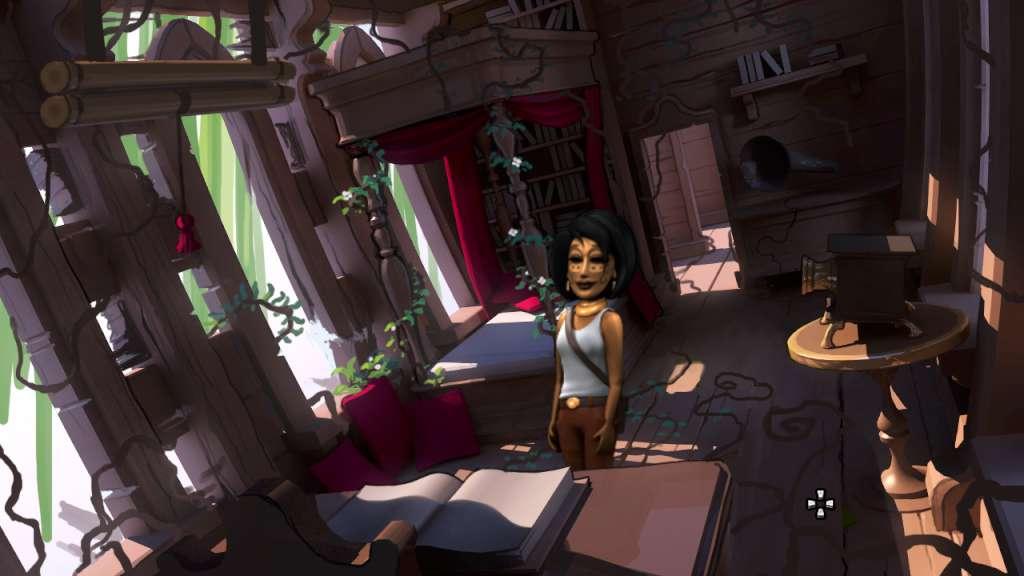
The Journey Down: Chapter Three screenshotThe Journey Down: Chapter Three screenshotThe Journey Down: Chapter Three screenshotThe Journey Down: Chapter Three screenshot

How to redeem

  1. 1Check your Steam account and the listed region before purchasing.
  2. 2Find your code and supplier activation instructions in your confirmed order.
  3. 3Open the redeem-code section on Steam, enter the code and follow the platform’s prompts.

Supplier instructions

Go to: http://store.steampowered.com/ and download STEAM client Click "Install Steam" (from the upper right corner) Install and start application, login with your Account name and Password (create one if you don't have). Please follow these instructions to activate a new retail purchase on Steam: Launch Steam and log into your Steam account. Click the Games Menu. Choose Activate a Product on Steam... Follow the onscreen instructions to complete the process. After successful code verification go to the "MY GAMES" tab and start downloading.

You might also like