Get 10% back in Relic Coins on every order
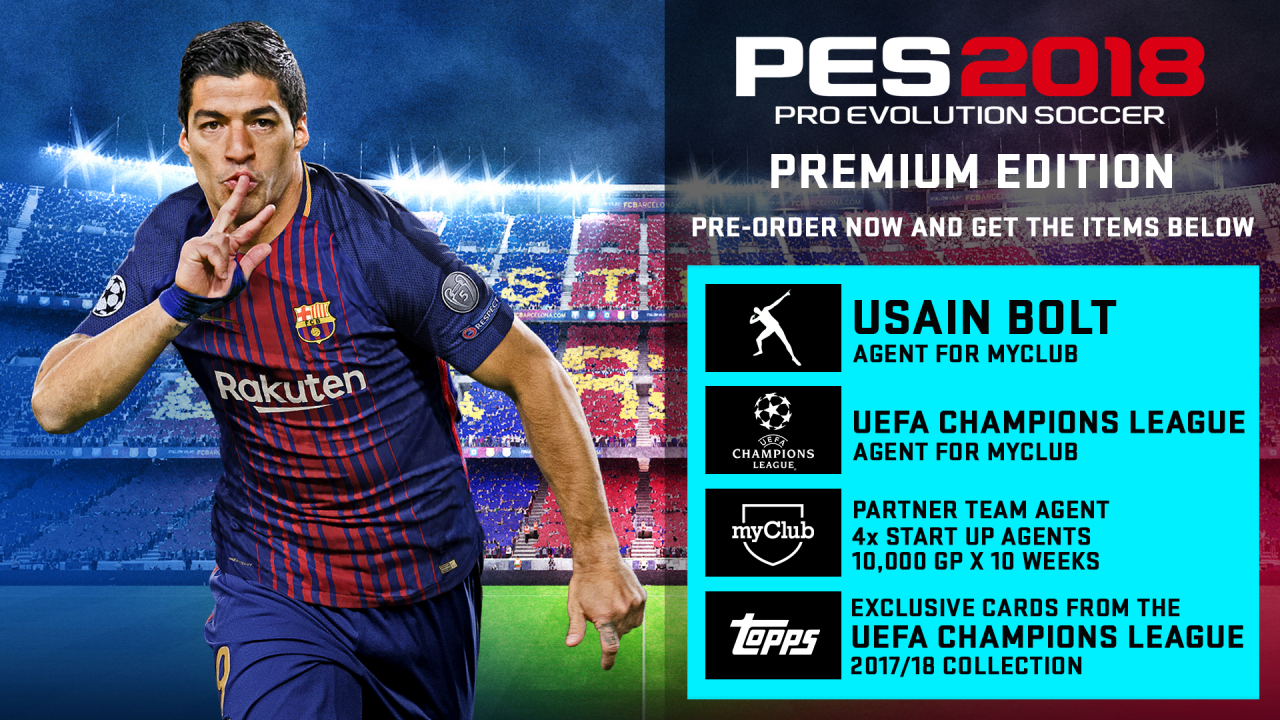
Pro Evolution Soccer 2018 Premium Edition cover

Steam Europe - All Countries· Key

Pro Evolution Soccer 2018 Premium Edition

€62.99

+€6.30 cashback eligibility in Relic Coins

Check before you play

Platform
Steam
Region
Europe - All Countries
Product type
Key
Developer
Konami Digital Entertainment
Publisher
Konami Digital Entertainment
Supplier release date
2017-09-14
Genres
Sport, Simulation

About this product

Pro Evolution Soccer 2018 Premium Edition includes: Base game Exclusive agent from myClub. UEFA Champions League Agent from myCLub. Partner Team Agent 4 x Start Up Agents 10, 000 GP x 10 weeks. Exclusive cards from UEFA Chamions League, collection 2017/18 'Where Legends Are Made' encapsulates the return of PES, with an unparalleled gameplay experience. Features Gameplay Masterclass – Strategic Dribbling, Real Touch+ and new set pieces take the unrivalled gameplay to the next level Presentation Overhaul – New menus and real player images PES League Integration – Compete with PES League in new modes including myClub Online Co-op -A mode dedicated to co-op play is newly added Random Selection Match – Fan favourite returns with new presentation and features Master League Upgrade – New pre-season tournaments, improved transfer system, presentations and functionality Enhanced Visual Reality – New lighting, reworked player models and animations covering everything from facial expressions to body movement to bring the game to life

Pro Evolution Soccer 2018 Premium Edition screenshotPro Evolution Soccer 2018 Premium Edition screenshotPro Evolution Soccer 2018 Premium Edition screenshotPro Evolution Soccer 2018 Premium Edition screenshotPro Evolution Soccer 2018 Premium Edition screenshotPro Evolution Soccer 2018 Premium Edition screenshot

How to redeem

  1. 1Check your Steam account and the listed region before purchasing.
  2. 2Find your code and supplier activation instructions in your confirmed order.
  3. 3Open the redeem-code section on Steam, enter the code and follow the platform’s prompts.

Supplier instructions

Go to: http://store.steampowered.com/ and download STEAM client Click "Install Steam" (from the upper right corner) Install and start application, login with your Account name and Password (create one if you don't have). Please follow these instructions to activate a new retail purchase on Steam: Launch Steam and log into your Steam account. Click the Games Menu. Choose Activate a Product on Steam... Follow the onscreen instructions to complete the process. After successful code verification go to the "MY GAMES" tab and start downloading.

You might also like