Get 10% back in Relic Coins on every order
Bubsy: Paws on Fire! cover

SteamGlobal· Key

Bubsy: Paws on Fire!

€11.57

+€1.16 cashback eligibility in Relic Coins

Check before you play

Platform
Steam
Region
Global
Product type
Key
Developer
Arcane Kids
Publisher
Arcane Kids
Supplier release date
2019-05-16
Genres
Action, Adventure

About this product

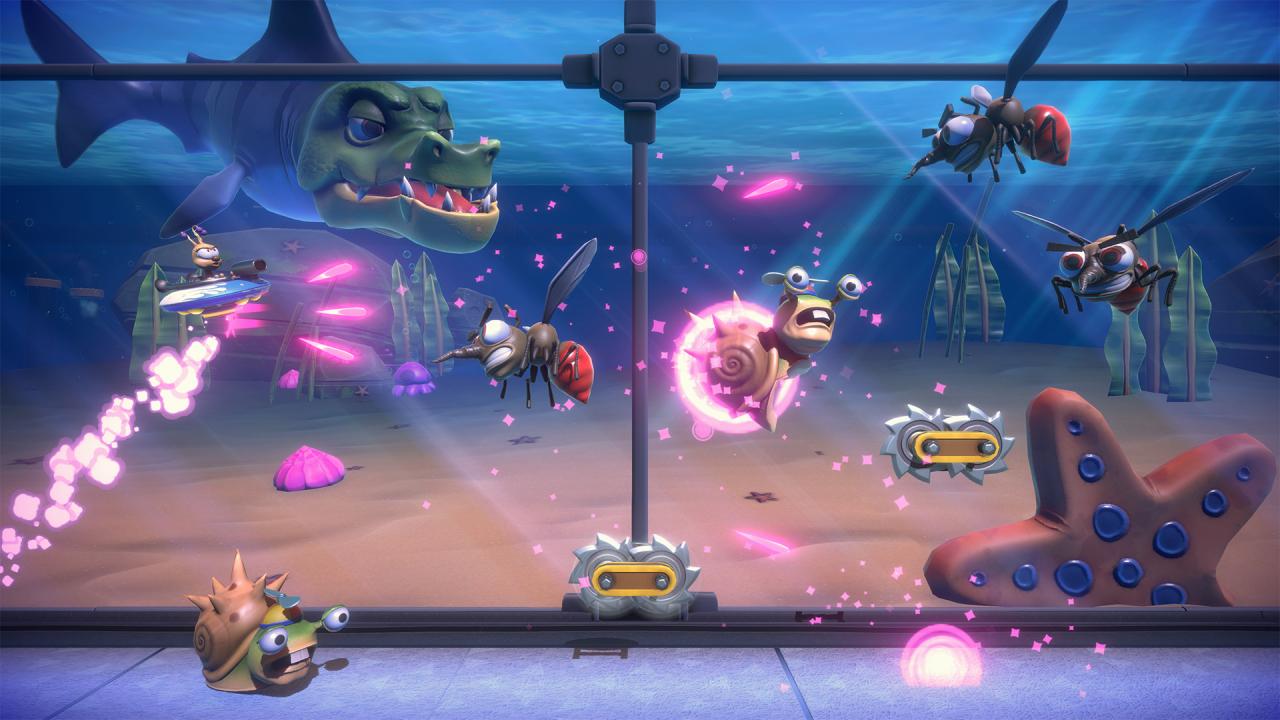
From the developers of the BIT.TRIP series comes Bubsy: Paws on Fire!, the latest and greatest in bobcat-based gaming. Oinker P. Hamm is determined to capture every animal in the universe for his “Amazootorium.” Bubsy, fearing mostly for himself, is just as determined to stop him. Two archrivals, stitched together by the cruel knitting needles of fate. No matter who emerges victorious, there is one thing we know for certain: There’s going to be a whole lot of yarn along the way.So, so much yarn. Features Four playable characters, each with their own unique mechanics! Fly and shoot your way through the air as The Woolie, take it underground with Arnold’s bonus levels, or run your way to victory with Bubsy and Virgil Reality! An all-new story featuring the unlikely alliance between Bubsy and his archrivals, The Woolies! Over 100 levels set across three different worlds! Three boss battles! A unique combo system and set of leaderboards for every character! A shop with costumes and cosmetics, all of which players can unlock just by playing the game. There are no in-game purchases! Unique character dialog for every level! A variety of collectible types, ensuring maximum replayability!
 The return of Oinker, Terri, Terry, and many other characters from previous Bubsy incarnations! We even have Virgil Reality from the Bubsy cartoon pilot—we dug deep!

Bubsy: Paws on Fire! screenshotBubsy: Paws on Fire! screenshotBubsy: Paws on Fire! screenshotBubsy: Paws on Fire! screenshotBubsy: Paws on Fire! screenshotBubsy: Paws on Fire! screenshot

How to redeem

  1. 1Check your Steam account and the listed region before purchasing.
  2. 2Find your code and supplier activation instructions in your confirmed order.
  3. 3Open the redeem-code section on Steam, enter the code and follow the platform’s prompts.

Supplier instructions

Go to: http://store.steampowered.com/ and download STEAM client Click "Install Steam" (from the upper right corner) Install and start application, login with your Account name and Password (create one if you don't have). Please follow these instructions to activate a new retail purchase on Steam: Launch Steam and log into your Steam account. Click the Games Menu. Choose Activate a Product on Steam... Follow the onscreen instructions to complete the process. After successful code verification go to the "MY GAMES" tab and start downloading.

You might also like