
SteamGlobal· Gift
Turbo Dismount
€9.10
+€0.91 cashback eligibility in Relic Coins
Check before you play
- Platform
- Steam
- Region
- Global
- Product type
- Gift
- Developer
- Secret Exit Ltd.
- Publisher
- Secret Exit Ltd.
- Genres
- Action, Simulation, Indie
SteamGlobal· Gift
€9.10
+€0.91 cashback eligibility in Relic Coins
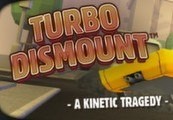
Turbo Dismount Steam Gift Platform: Steam Languages: English Release Date: 21 May 2014 Product Description Turbo Dismount is a kinetic tragedy about Mr. Dismount and the cars who love him. It is the official sequel to the wildly popular and immensely successful personal impact simulator - Stair Dismount. The highlights of this experience are multiple vehicles, an awesome replay system, level editing features, high-speed physics and an indiscriminate sense of style. The purpose of the game is simple - damage awards points. It is up to you to try different combinations of obstacles, vehicles, poses and levels to make it to the top of the leaderboards. To support friendly rivalry, Turbo Dismount supports placing a photo of your friend on the face of Mr. Dismount - such a delightful way to express one's emotions! System Requirements PC System Requirements OS: Windows XP Processor: Intel Core 2 or better Memory: 1 GB RAM Graphics: DirectX9 compatible graphics card DirectX: Version 9.0 Hard Drive: 300 MB available space Sound Card: Any Mac System Requirements OS: 10.8 or newer Processor: Intel Core 2 Duo or better Memory: 1 GB RAM Graphics: Any Hard Drive: 300 MB available space Sound Card: Any


Go to: http://store.steampowered.com/ and download STEAM client Click "Install Steam" (from the upper right corner) Install and start application, login with your Account name and Password (create one if you don't have). Please follow these instructions to activate a new retail purchase on Steam: Launch Steam and log into your Steam account. Click the Games Menu. Choose Activate a Product on Steam... Follow the onscreen instructions to complete the process. After successful code verification go to the "MY GAMES" tab and start downloading.