Get 10% back in Relic Coins on every order
Batman: Arkham Knight Premium Edition cover

Xbox One Europe - All Countries· Key

Batman: Arkham Knight Premium Edition

€9.18

+€0.92 cashback eligibility in Relic Coins

Check before you play

Platform
Xbox One
Region
Europe - All Countries
Product type
Key
Developer
Rocksteady Studios
Publisher
Rocksteady Studios
Supplier release date
2015-06-23
Genres
Action, Adventure, Fighting

About this product

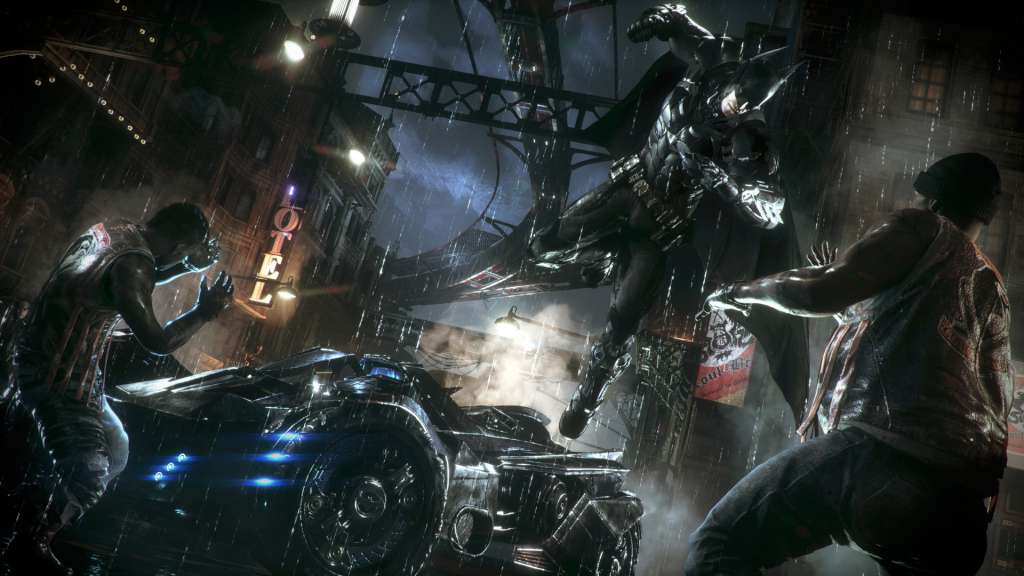
Includes: Batman: Arkham Knight, Season Pass In the explosive finale to the Arkham series, Batman faces the ultimate threat against the city he is sworn to protect. The Scarecrow returns to unite an impressive roster of super villains, including Penguin, Two-Face and Harley Quinn, to destroy The Dark Knight forever. Batman: Arkham Knight introduces Rocksteady's uniquely designed version of the Batmobile, which is drivable for the first time in the franchise. The addition of this legendary vehicle, combined with the acclaimed gameplay of the Batman Arkham series, offers gamers the ultimate and complete Batman experience as they tear through the streets and soar across the skyline of the entirety of Gotham City The season pass for Batman: Arkham Knight delivers new content every month for 6 months, featuring new story missions, more supervillains invading Gotham City, new legendary Batmobiles, advanced challenge maps, alternative character skins, and new drivable race tracks. Be The Batman.

Batman: Arkham Knight Premium Edition screenshotBatman: Arkham Knight Premium Edition screenshotBatman: Arkham Knight Premium Edition screenshotBatman: Arkham Knight Premium Edition screenshotBatman: Arkham Knight Premium Edition screenshotBatman: Arkham Knight Premium Edition screenshot

How to redeem

  1. 1Check your Xbox One account and the listed region before purchasing.
  2. 2Find your code and supplier activation instructions in your confirmed order.
  3. 3Open the redeem-code section on Xbox One, enter the code and follow the platform’s prompts.

Supplier instructions

Go to https://www.xbox.com Login to your account Hover over your account link (the top right of the screen) a menu will appear, click on the "Redeem Code" button. On the next page, click "Redeem" Enter your code Click "Confirm" Click "Confirm" again to assign the key to your account.

You might also like