Get 10% back in Relic Coins on every order
Moto Racer 4 Switch cover

Nintendo Europe - All Countries· Key

Moto Racer 4 Switch

€7.33

+€0.73 cashback eligibility in Relic Coins

Check before you play

Platform
Nintendo
Region
Europe - All Countries
Product type
Key
Developer
Delphine Software
Publisher
Electronic Arts
Supplier release date
2016-11-03
Genres
Racing, Sport

About this product

Enter the crazy and incredibly fast world of motocross racing! The developers managed to take what’s the best in the Moto Racer trilogy and update it with new fantastic options which will keep you glued to the screen for hours dripping with excitement. Features TRY OUT THE MANY GAME MODES - Moto Racer 4 offers 15 different modes for both single and multiplayer. Apart from classic Time Trial or Championship, the modes are really inventive and competitive, like Last Man Standing where the last biker at each checkpoint is eliminated. Such an addition will make for hours of excitement in front of the screen. ONE GAME - TWO TRACKS - ENTIRE WORLD - Choose between racing on asphalt or on dirt. Give your skills an extreme test as you race on tracks scattered throughout the world - from the Himalayas to the USA. EXPERIENCE REALISTIC MOTO RACING - Collide with your opponents, fall off your bike and get off track. Experience the danger of traffic as you have to maneuver around cars and obstacles at extreme speeds. In Moto Racer 4, each of the bikers you’ll be able to pick possesses some unique characteristics and has own racing style. Customize and upgrade your bike to match the toughest driving conditions.

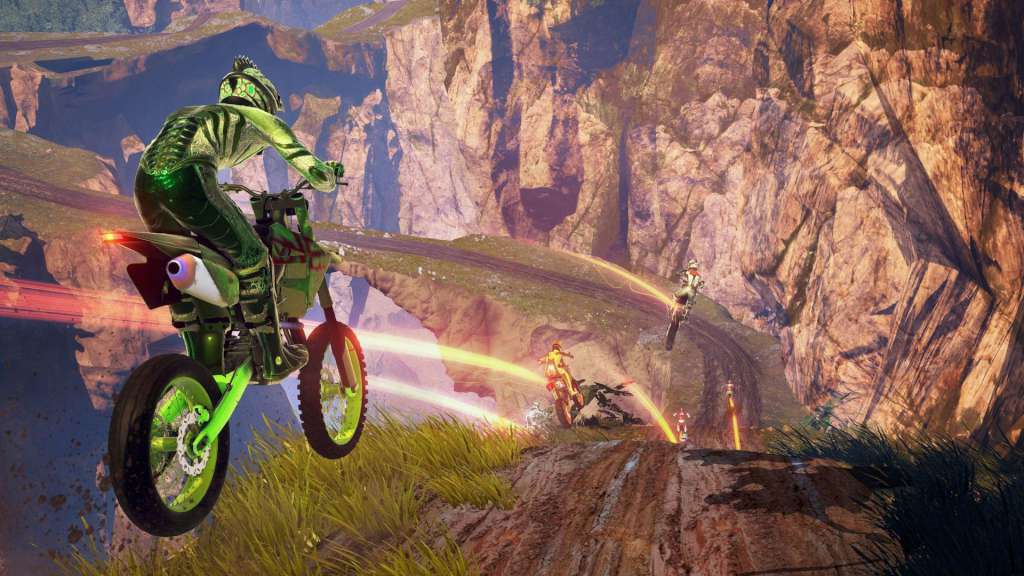
Moto Racer 4 Switch screenshotMoto Racer 4 Switch screenshotMoto Racer 4 Switch screenshotMoto Racer 4 Switch screenshotMoto Racer 4 Switch screenshotMoto Racer 4 Switch screenshot

How to redeem

  1. 1Check your Nintendo account and the listed region before purchasing.
  2. 2Find your code and supplier activation instructions in your confirmed order.
  3. 3Open the redeem-code section on Nintendo, enter the code and follow the platform’s prompts.

Supplier instructions

Select “Nintendo eShop” on the HOME Menu to launch the Nintendo eShop. Select the account you want to use. Select “Enter Code” on the left side of the screen. Enter the 16-character download code.Any letters and symbols not used with prepaid codes (i.e. O, I, Z, commas, hyphens, etc.) will be disabled from the on-screen keyboard. Select “Send” to confirm. The game will begin downloading once the code is confirmed.The game icon will appear on the HOME menu, with a download status bar. The status bar will disappear once the game download is complete.

You might also like