

SteamUnited States· Key
White Noise Online
€4.89
+€0.49 cashback eligibility in Relic Coins
Check before you play
- Platform
- Steam
- Region
- United States
- Product type
- Key
- Supplier release date
- 2014-05-23
- Genres
- Adventure, Indie, Casual, Horror, Co-op
SteamUnited States· Key
€4.89
+€0.49 cashback eligibility in Relic Coins
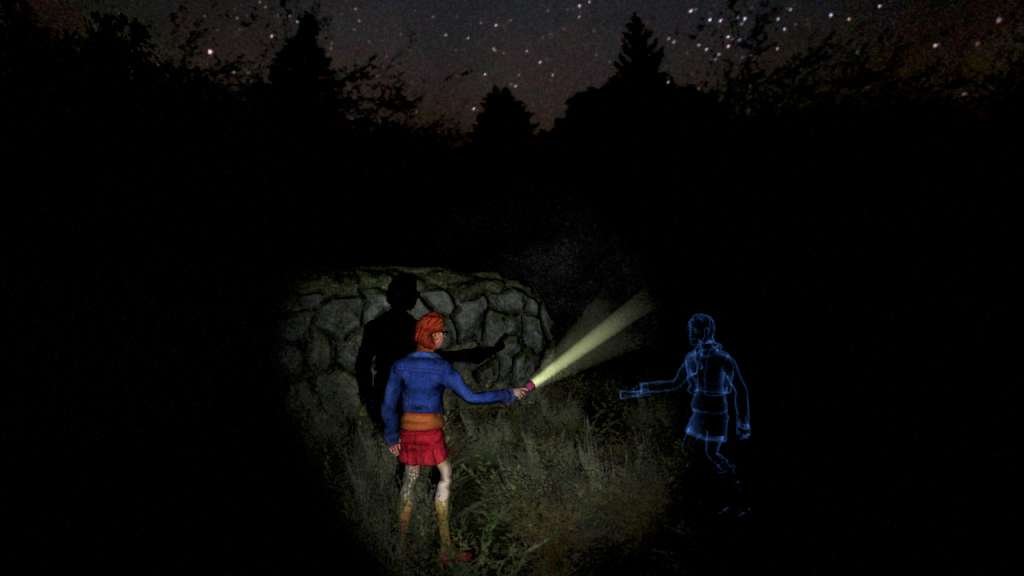
On White Noise Online, a team of up to 4 investigators has to explore an area looking for clues, while avoiding being devoured by a supernatural creature. Will you be able to uncover the truth behind the mysterious events? The game takes the idea of simple, accesible horror behind Slender and evolves it further to adapt it to a cooperative environemnt. Designed from scratch to offer a shared horror experience, White Noise Online lets you live new situations, never seen before on a videogame. You'll need teamwork and trust on your partners to take the right choices and overcome the challenges you'll face. White Noise Online can be played solo or online, in a cooperative game for up to 4 players. It features over 15 playable characters, each one with their own perks and skills, and 6 different scenarios to explore. Another interesting feature of WNO is the replay screen, where you can check the path you and your friends followed. Once the thrilling game session is over, have a laugh while seeing how you kept walking in circles!





Go to: http://store.steampowered.com/ and download STEAM client Click "Install Steam" (from the upper right corner) Install and start application, login with your Account name and Password (create one if you don't have). Please follow these instructions to activate a new retail purchase on Steam: Launch Steam and log into your Steam account. Click the Games Menu. Choose Activate a Product on Steam... Follow the onscreen instructions to complete the process. After successful code verification go to the "MY GAMES" tab and start downloading.