Get 10% back in Relic Coins on every order
All Hail The Cook-o-tron cover

SteamGlobal· Key

All Hail The Cook-o-tron

€8.15

+€0.82 cashback eligibility in Relic Coins

Check before you play

Platform
Steam
Region
Global
Product type
Key
Developer
Slapunas and Jakayaki
Publisher
Slapunas and Jakayaki
Supplier release date
2020-12-21
Genres
Action, Simulation, Indie, Casual, VR Games

About this product

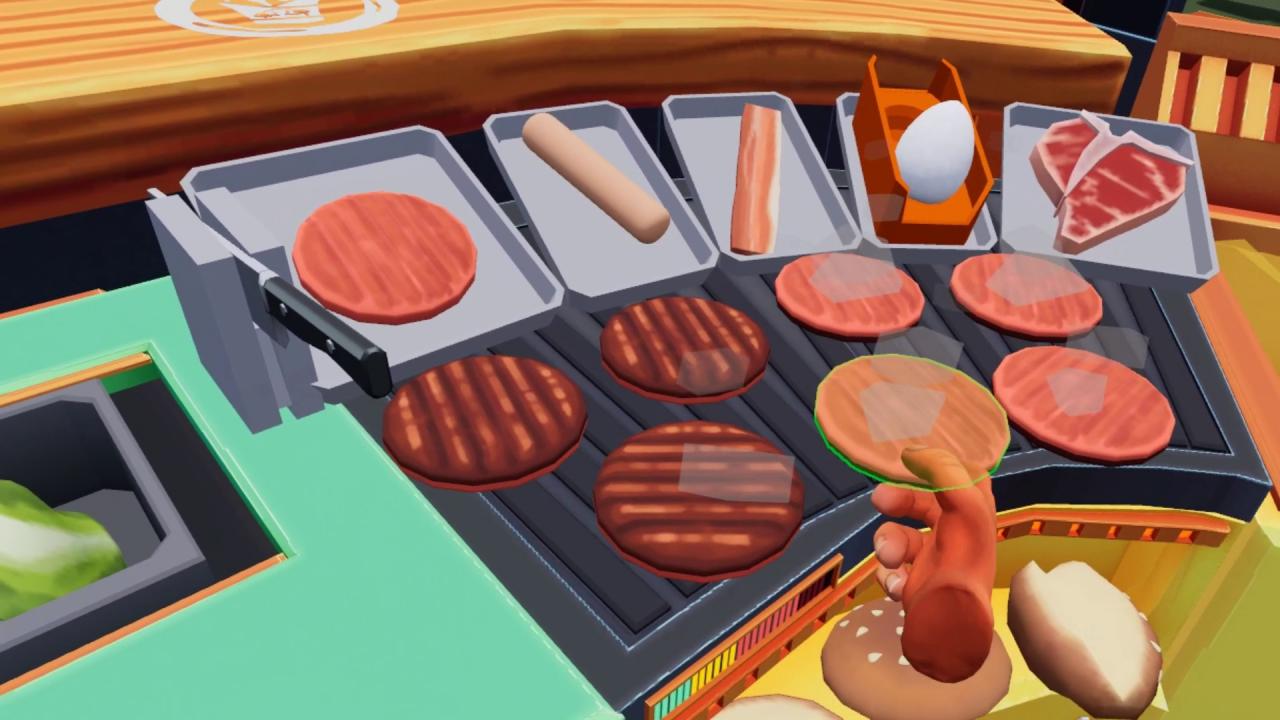
All Hail the Cook-o-tron is a physics-based cooking action game for VR.The game is set in a futuristic society where everything gets automated to the point that traditional cooking as a profession is no more. You are known as "21", a cloned specimen from the 21st century created to participate in a world class cooking competition where selected participants from other periods of human history cook their mainstream cuisines in order to please the notorious food critic known as the Cook-o-tron. Features Feel like a real service industry worker as customers have very dynamic facial expressions that are designed to make you feel judged Campaign spanning 30 handcrafted levels Defeat 6 bosses with their own unique mechanics Master 7 food prep stations and over 80 dishes Physics-based cooking gameplay enabling assembly of dishes in any way you like Various customer archetypes with their unique quirks Each environment provides new challenges Casual and heroic difficulty Progressive difficulty curve designed not to overwhelm yet provide a solid challenge Your play space is height adjustable in-game, play while standing or sitting down

All Hail The Cook-o-tron screenshotAll Hail The Cook-o-tron screenshotAll Hail The Cook-o-tron screenshotAll Hail The Cook-o-tron screenshotAll Hail The Cook-o-tron screenshotAll Hail The Cook-o-tron screenshot

How to redeem

  1. 1Check your Steam account and the listed region before purchasing.
  2. 2Find your code and supplier activation instructions in your confirmed order.
  3. 3Open the redeem-code section on Steam, enter the code and follow the platform’s prompts.

Supplier instructions

Go to: http://store.steampowered.com/ and download STEAM client Click "Install Steam" (from the upper right corner) Install and start application, login with your Account name and Password (create one if you don't have). Please follow these instructions to activate a new retail purchase on Steam: Launch Steam and log into your Steam account. Click the Games Menu. Choose Activate a Product on Steam... Follow the onscreen instructions to complete the process. After successful code verification go to the "MY GAMES" tab and start downloading.

You might also like