

OtherGlobal· Key
Webroot SecureAnywhere AntiVirus 2021 (1 Year / 1 Device)
€2.27
+€0.23 cashback eligibility in Relic Coins
Check before you play
- Region
- Global
- Product type
- Key
- Genres
- Software
OtherGlobal· Key
€2.27
+€0.23 cashback eligibility in Relic Coins
There's Always a New Cybersecurity Threat. Let Webroot Help. Nearly half of all home users worldwide have been victims of cybercrime. Every link clicked, email opened, app downloaded, and network joined is an opportunity for hackers to compromise your personal data. Even established threats like ransomware are continuously evolving, and new threats like cryptojacking are being added to an already diverse threat landscape. Webroot offers complete protection from viruses and identity theft for all your devices, without slowing you down. Features Advanced threat protection for PCs and Macs Always-on security for your data and identity Protection that stops ransomware Real-time anti-phishing blocks harmful sites Firewall and network connection monitor Lightning-fast scans without interruption
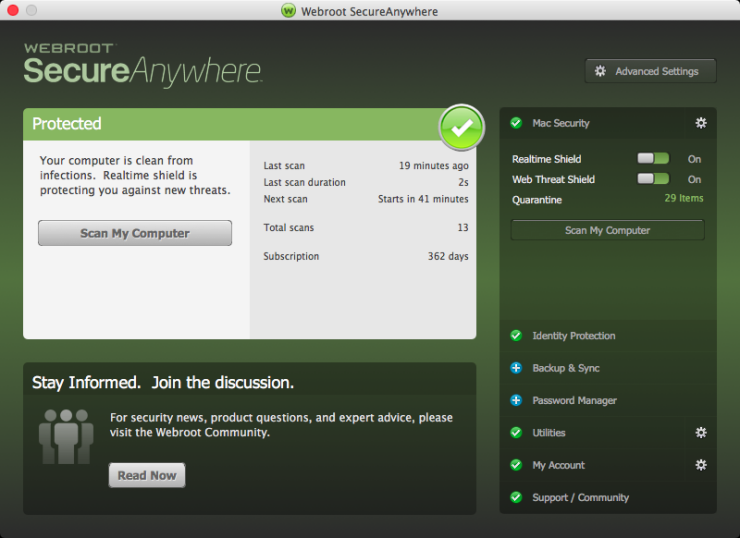
In order to redeem the code follow the instruction below: for PC: Download the software from http://anywhere.webrootcloudav.com/zerol/wsabbs2.exe Locate the file you saved and double-click the file to start the installation. When prompted, enter your keycode. Continue to follow the instructions as they appear. for MAC: Download the SecureAnywhere installer to your Mac from http://anywhere.webrootcloudav.com/zerol/wsamacbbs2.dmg Double-click Webroot SecureAnywhere.app to open the installer. Drag the Webroot SecureAnywhere icon into the Applications folder. Open the Applications folder by double-clicking the folder icon. In the Applications folder, double-click the Webroot SecureAnywhere icon to begin activation. In the first activation window, enter your keycode and click the Activate button. After you enter the keycode, a system prompt asks if you want to allow SecureAnywhere to make changes to your system. To confirm the installation, enter your Apple system password and click OK.