Get 10% back in Relic Coins on every order
Dying Light - Viking: Raiders of Harran Bundle DLC cover

SteamGlobal· DLC

Dying Light - Viking: Raiders of Harran Bundle DLC

€0.92

+€0.09 cashback eligibility in Relic Coins

Check before you play

Platform
Steam
Region
Global
Product type
DLC

Check the required base game and edition before purchasing this add-on.

Developer
Techland
Publisher
Techland
Supplier release date
2021-02-11
Genres
Action, RPG

About this product

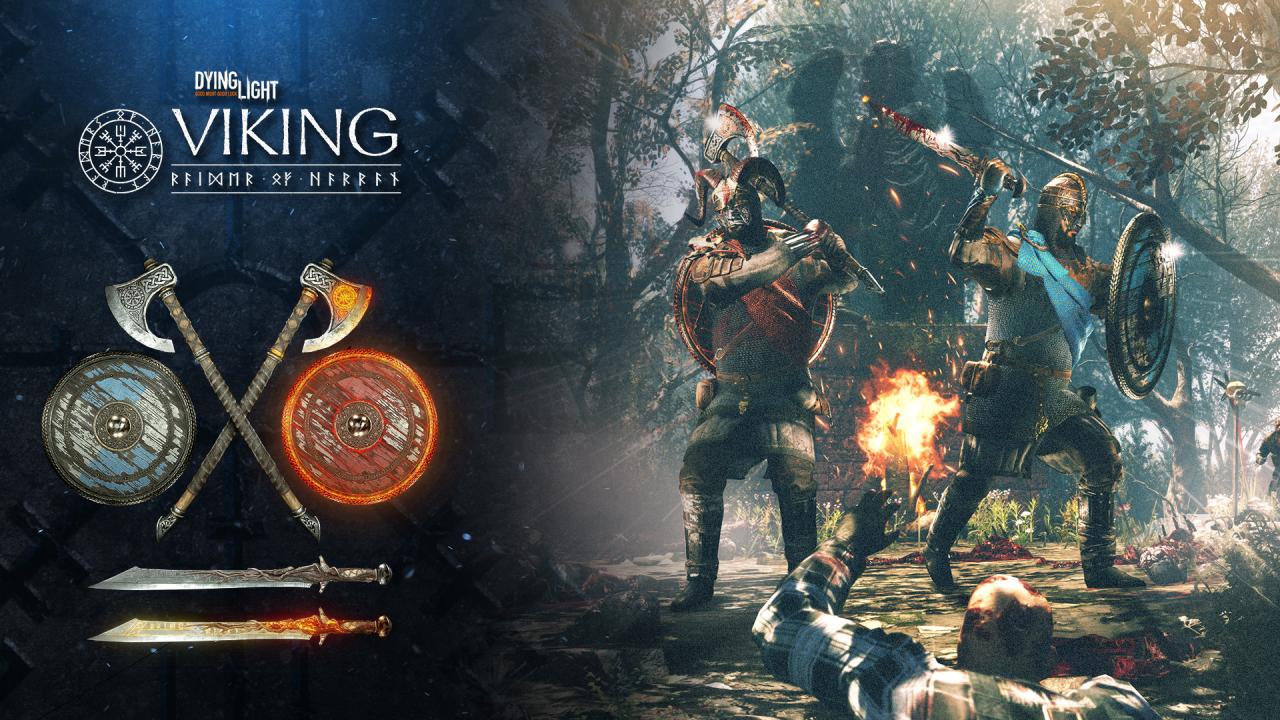
A true Viking like yourself would never settle for mediocrity, thus, you shalt have the finest gear. Whether you like your conquering style classical or fancy, we’ve got you covered. Two amazing high-end player skins are waiting for you, ready to get besmirched with zombie blood. And since we’re already speaking about blood, you’ll be able to butcher your enemies with a brand-new, shiny sword, axe or shield, which, too, come in two versions! Serve the Infected some old-school slaughter or burn them with fire! Whatever’s to your liking. Finally, you didn’t think we’d leave you without your ship, did you? We made some modifications to adapt it to the new environment and now you can raid Harran like a king in this true raider’s ride. Fair winds and following seas! The bundle contains: Two “Raider of Harran” outfits: “Björn the Warrior” and “Björn the Berserker” Two two-handed heavy axes: Ragnarök and Ashes of Ragnarök Two one-handed swords: The Aesir and The Fiery Aesir Two shields: Asgard’s Protector and Asgard’s Wall of Fire “Reinen” buggy skin. Please note, buggy paint job requires Dying Light: The Following expansion pack.

Dying Light - Viking: Raiders of Harran Bundle DLC screenshot

How to redeem

  1. 1Check the required base game, platform and edition before purchasing.
  2. 2Find the code or supplier activation instructions in your confirmed order.
  3. 3Redeem on Steam using the supplied instructions, then install the add-on with the compatible base game.

Supplier instructions

Go to: http://store.steampowered.com/ and download STEAM client Click "Install Steam" (from the upper right corner) Install and start application, login with your Account name and Password (create one if you don't have). Please follow these instructions to activate a new retail purchase on Steam: Launch Steam and log into your Steam account. Click the Games Menu. Choose Activate a Product on Steam... Follow the onscreen instructions to complete the process. After successful code verification go to the "MY GAMES" tab and start downloading.

You might also like