Get 10% back in Relic Coins on every order
Batman: Arkham Knight - Harley Quinn Story Pack DLC cover

Steam Europe - All Countries· DLC

Batman: Arkham Knight - Harley Quinn Story Pack DLC

€2.43

+€0.24 cashback eligibility in Relic Coins

Check before you play

Platform
Steam
Region
Europe - All Countries
Product type
DLC

Check the required base game and edition before purchasing this add-on.

Developer
Rocksteady Studios
Publisher
Warner Bros. Interactive Entertainment
Supplier release date
2015-06-23
Genres
Action, Adventure, Fighting

About this product

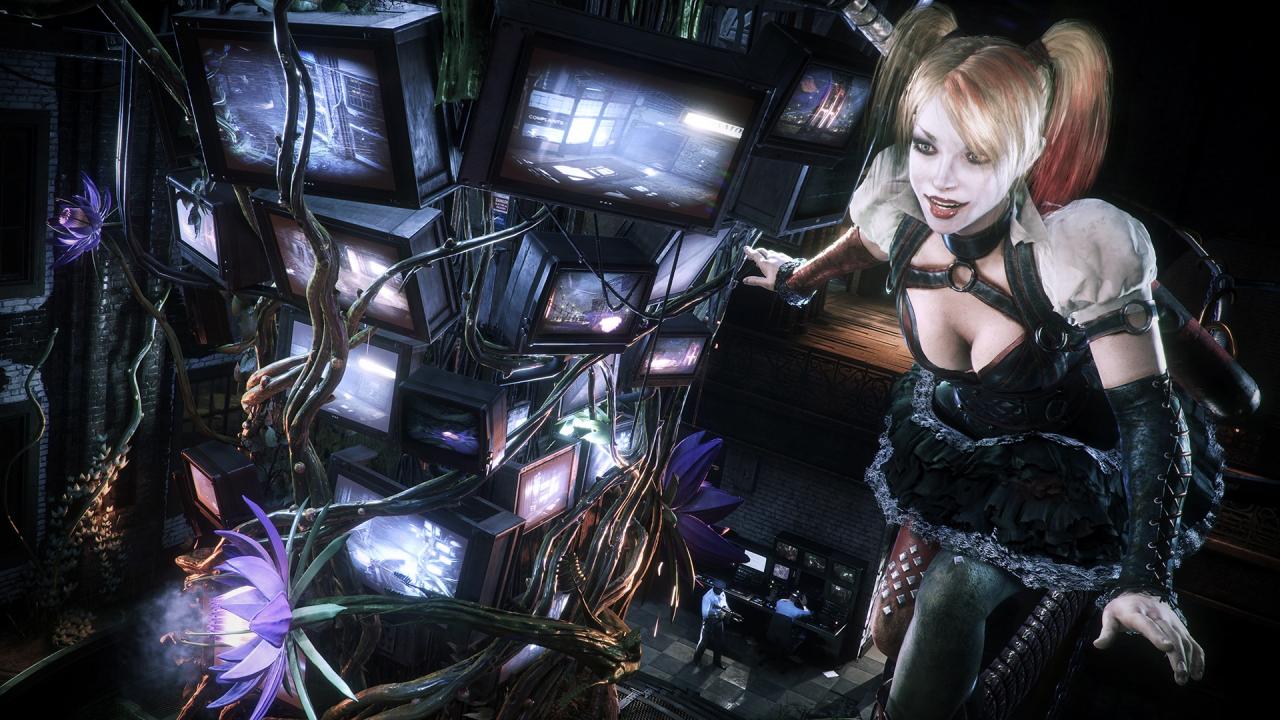
Batman: Arkham Knight: Harley Quinn Story PackPlay as Harley Quinn. Armed with unique weapons, gadgets, and abilities, take on the role of Joker’s psychotic side-kick and wreak havoc inside the Blüdhaven Police Department. Batman: Arkham KnightIn the explosive finale to the Arkham series, Batman faces the ultimate threat against the city he is sworn to protect. The Scarecrow returns to unite an impressive roster of super villains, including Penguin, Two-Face and Harley Quinn, to destroy The Dark Knight forever. Batman: Arkham Knight introduces Rocksteady's uniquely designed version of the Batmobile, which is drivable for the first time in the franchise. The addition of this legendary vehicle, combined with the acclaimed gameplay of the Batman Arkham series, offers gamers the ultimate and complete Batman experience as they tear through the streets and soar across the skyline of the entirety of Gotham City

Batman: Arkham Knight - Harley Quinn Story Pack DLC screenshotBatman: Arkham Knight - Harley Quinn Story Pack DLC screenshotBatman: Arkham Knight - Harley Quinn Story Pack DLC screenshot

How to redeem

  1. 1Check the required base game, platform and edition before purchasing.
  2. 2Find the code or supplier activation instructions in your confirmed order.
  3. 3Redeem on Steam using the supplied instructions, then install the add-on with the compatible base game.

Supplier instructions

Go to: http://store.steampowered.com/ and download STEAM client Click "Install Steam" (from the upper right corner) Install and start application, login with your Account name and Password (create one if you don't have). Please follow these instructions to activate a new retail purchase on Steam: Launch Steam and log into your Steam account. Click the Games Menu. Choose Activate a Product on Steam... Follow the onscreen instructions to complete the process. After successful code verification go to the "MY GAMES" tab and start downloading.

You might also like