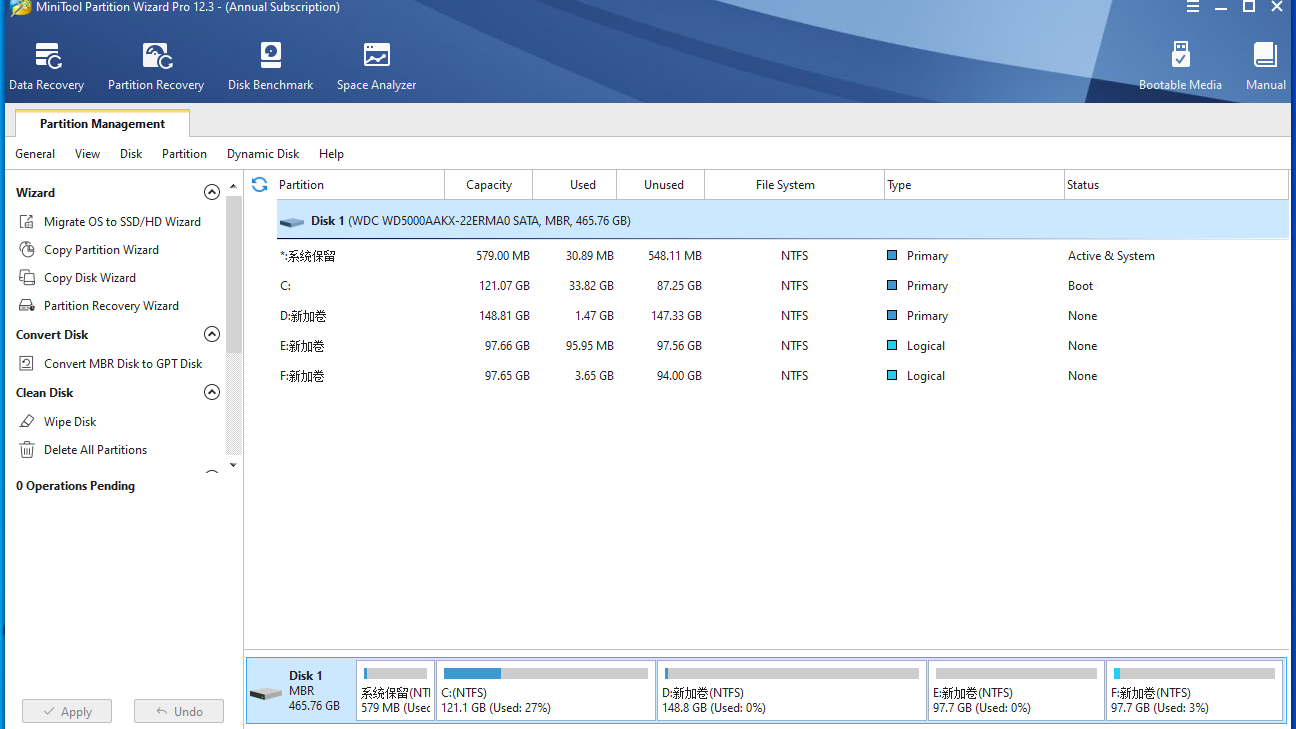
MiniTool Partition Wizard is a professional and reliable partition manager for Windows users to optimize disk usage and protect data. It is a multifunctional tool — with over 50 features, it can manage your partitions and disks in all aspects of system migration. MiniTool Partition Wizard is also a multilingual tool, including English, Japanese, German, French, Italian, Korean, Spanish, and Portuguese. This edition not only contains all functions of the Free Edition, but also allows you to convert NTFS to FAT without data loss, change cluster size, change Partition type ID and serial number, copy system disk and partition, migrate OS, convert OS disk to GPT disk without data loss, manage dynamic disk, and make a Win-PE based bootable media.With this software, you can flexibly configure hard drives to keep the PC running at its best performance. Main Features: OS migration: migrate operating system to faster SSDs or larger HDDs to boost computer performance. Partition/volume management: create/delete partitions, merge/spilt partitions, resize & move/extend partitions, format/wipe/copy partitions, change volume cluster size, etc. Disks/partition checking: explore partitions, check file system, check bad sectors, analyze partition space, and test drive speed. Disk/partition conversion: MBR/GPT conversion, dynamic to basic disk conversion, FAT32/NTFS conversion, primary partition/logical partition conversion, etc. Bootable media maker: create bootable media to resolve multiple disk issues when the system fails to boot. Others: rebuild MBR, check disk properties, etc.