Get 10% back in Relic Coins on every order
The Journey Down: Chapter Two cover

SteamGlobal· Key

The Journey Down: Chapter Two

€1.18

+€0.12 cashback eligibility in Relic Coins

Check before you play

Platform
Steam
Region
Global
Product type
Key
Developer
Maxis
Publisher
Electronic Arts
Supplier release date
2014-08-25
Genres
Adventure, Indie

About this product

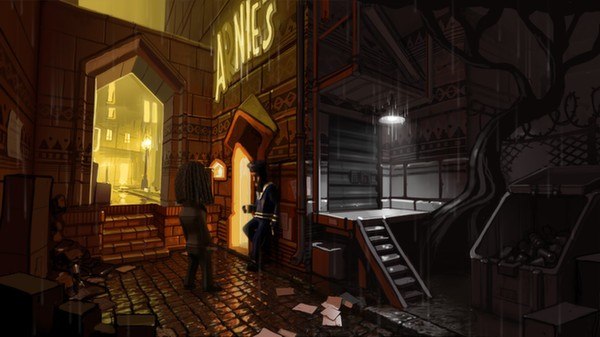
Far below the noisy metropolis of St. Armando, Bwana follows in the footsteps of his lost father together with Kito and Lina. In their search for the mysterious Underland, they discover a dark conspiracy shrouding the fate of Captain Kaonandodo. In the second chapter, the plot thickens as our heroes plunge down into the mist below the Edge and wind up in the foggy and treacherous town of Port Artue where they find themselves cornered by pirates and on the run from the law. The Journey Down is a classic point-and-click saga with an Afro-Caribbean vibe. Get ready to embark on an epic journey of brain-teasing adventure! Chapter One and Chapter Two are available PC, Mac and Linux as well as on iOS, with an android port to follow. Features A twisting tale of intriguing adventure Tons of handpainted environments An all original jazzy reggae soundtrack A fully voiced cast HD art and animations

The Journey Down: Chapter Two screenshotThe Journey Down: Chapter Two screenshotThe Journey Down: Chapter Two screenshotThe Journey Down: Chapter Two screenshotThe Journey Down: Chapter Two screenshotThe Journey Down: Chapter Two screenshot

How to redeem

  1. 1Check your Steam account and the listed region before purchasing.
  2. 2Find your code and supplier activation instructions in your confirmed order.
  3. 3Open the redeem-code section on Steam, enter the code and follow the platform’s prompts.

Supplier instructions

Go to: http://store.steampowered.com/ and download STEAM client Click "Install Steam" (from the upper right corner) Install and start application, login with your Account name and Password (create one if you don't have). Please follow these instructions to activate a new retail purchase on Steam: Launch Steam and log into your Steam account. Click the Games Menu. Choose Activate a Product on Steam... Follow the onscreen instructions to complete the process. After successful code verification go to the "MY GAMES" tab and start downloading.

You might also like