

SteamGlobal· Key
Bus Driver
€3.08
+€0.31 cashback eligibility in Relic Coins
Check before you play
- Platform
- Steam
- Region
- Global
- Product type
- Key
- Developer
- SCS Software
- Publisher
- SCS Software
- Supplier release date
- 2007-03-22
- Genres
- Simulation, Indie
SteamGlobal· Key
€3.08
+€0.31 cashback eligibility in Relic Coins
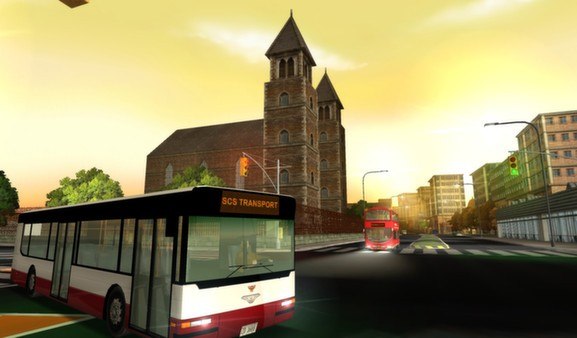
In Bus Driver, your job is to transport passengers around an attractive and realistic city. You must drive to a timetable on a planned route, whilst obeying traffic rules, and taking care not to upset or injure your passengers. This makes Bus Driver unlike any other driving game - the experience of driving a bus is very different from blazing through a racing circuit. Bus Driver offers twelve different kinds of buses to drive, an expansive city environment with various districts, and thirty routes with varying weather conditions set at differing times of day. Features 12 buses to drive, very detailed models inspired by real-world buses. 30 routes arranged into 5 tiers with increasing difficulty. Multiple duties, such as driving a schoolbus, transporting tourists, sight-seeing tours, and transportation of prisoners. High replay value based on sophisticated system of traffic rules and game-play related bonuses. Varying time-of-day and weather conditions Large city to drive in, with several districts of varying styles (modern, old-town, suburb, airport, harbour, and more). Living roads, with intelligent traffic controlled by our AI system. Non-violent gameplay, bus game suitable for everybody. From the makers of truck simulation games in the 18 Wheels of Steel series and the Euro Truck Simulator series, a solid contender in the bus driving games category.


Go to: http://store.steampowered.com/ and download STEAM client Click "Install Steam" (from the upper right corner) Install and start application, login with your Account name and Password (create one if you don't have). Please follow these instructions to activate a new retail purchase on Steam: Launch Steam and log into your Steam account. Click the Games Menu. Choose Activate a Product on Steam... Follow the onscreen instructions to complete the process. After successful code verification go to the "MY GAMES" tab and start downloading.